

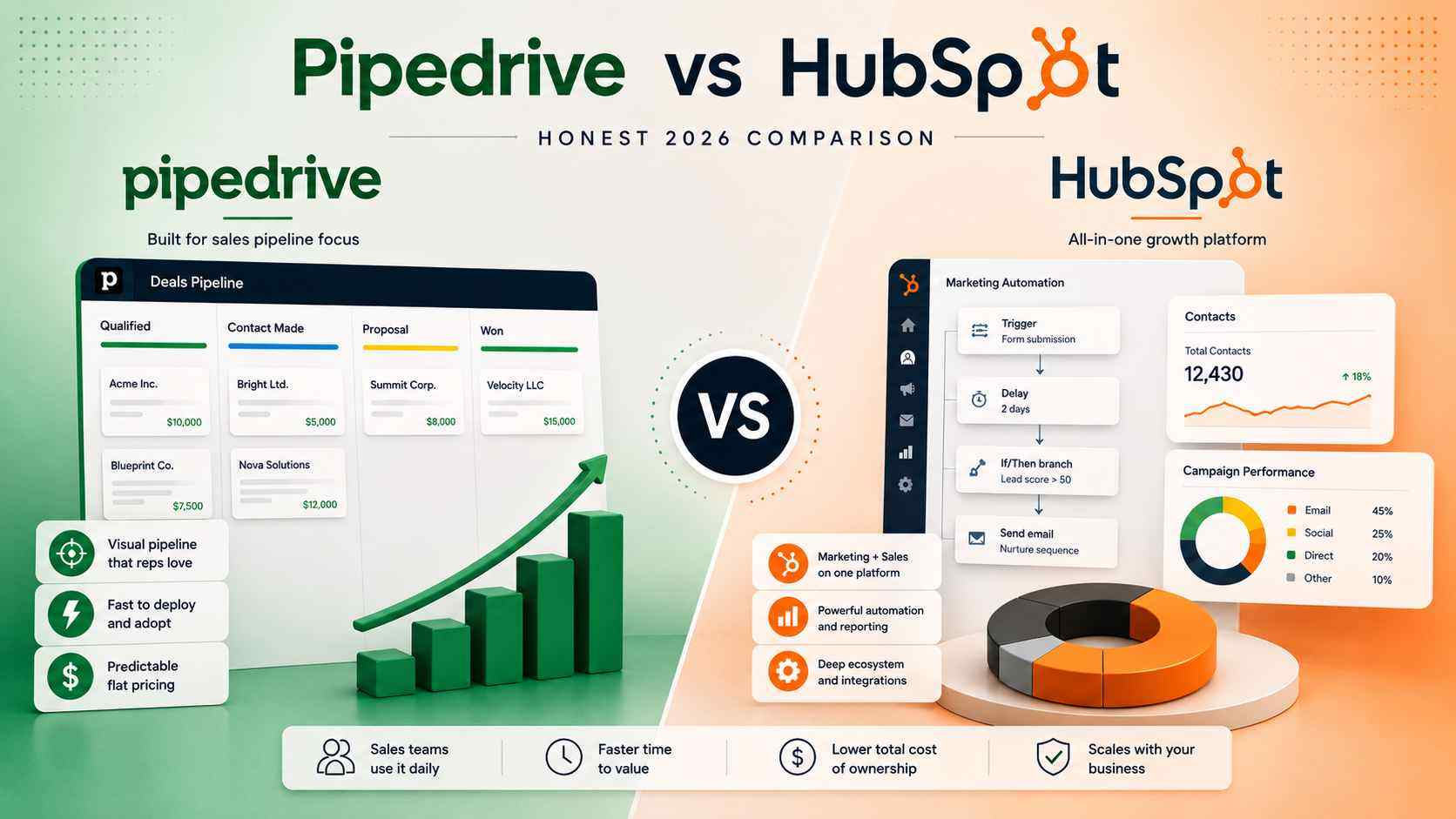
That neutrality matters here. Most Pipedrive vs HubSpot comparisons get written by someone paid to sell you one of them. We hold no such incentive.
We implement HubSpot, Pipedrive, Attio, Salesforce, and Close for clients, then live with the consequences. This post reflects what we see after the contract signs and the real work starts.
The honest verdict
Pipedrive is the better choice for sales-led teams that need clean pipeline execution and predictable cost. HubSpot is the better choice when marketing automation and sales pipeline must operate as one motion on one database.
The decision is not about which tool has more features. HubSpot has more of almost everything. The decision is about what problem sits at the center of your operation. Marketing automation is not the same problem as sales pipeline management. Confuse the two, and you overpay for one capability while underusing the other.
The review scores reflect this split. Pipedrive rates higher on ease of use and setup. HubSpot earns respect for breadth and depth. On G2, Pipedrive holds roughly 4.2 to 4.3 out of 5 across more than 2,900 reviews.
HubSpot Sales Hub holds about 4.4 out of 5 across a far larger base of more than 13,000 reviews, which reflects install size as much as satisfaction. Read our platform comparison hub for the side-by-side, then keep reading for the practitioner view.
Where HubSpot genuinely wins
HubSpot is fastest to ship and most expensive to live with. That single line captures most of the tradeoff. Here is where the spend buys real capability.
Marketing automation depth
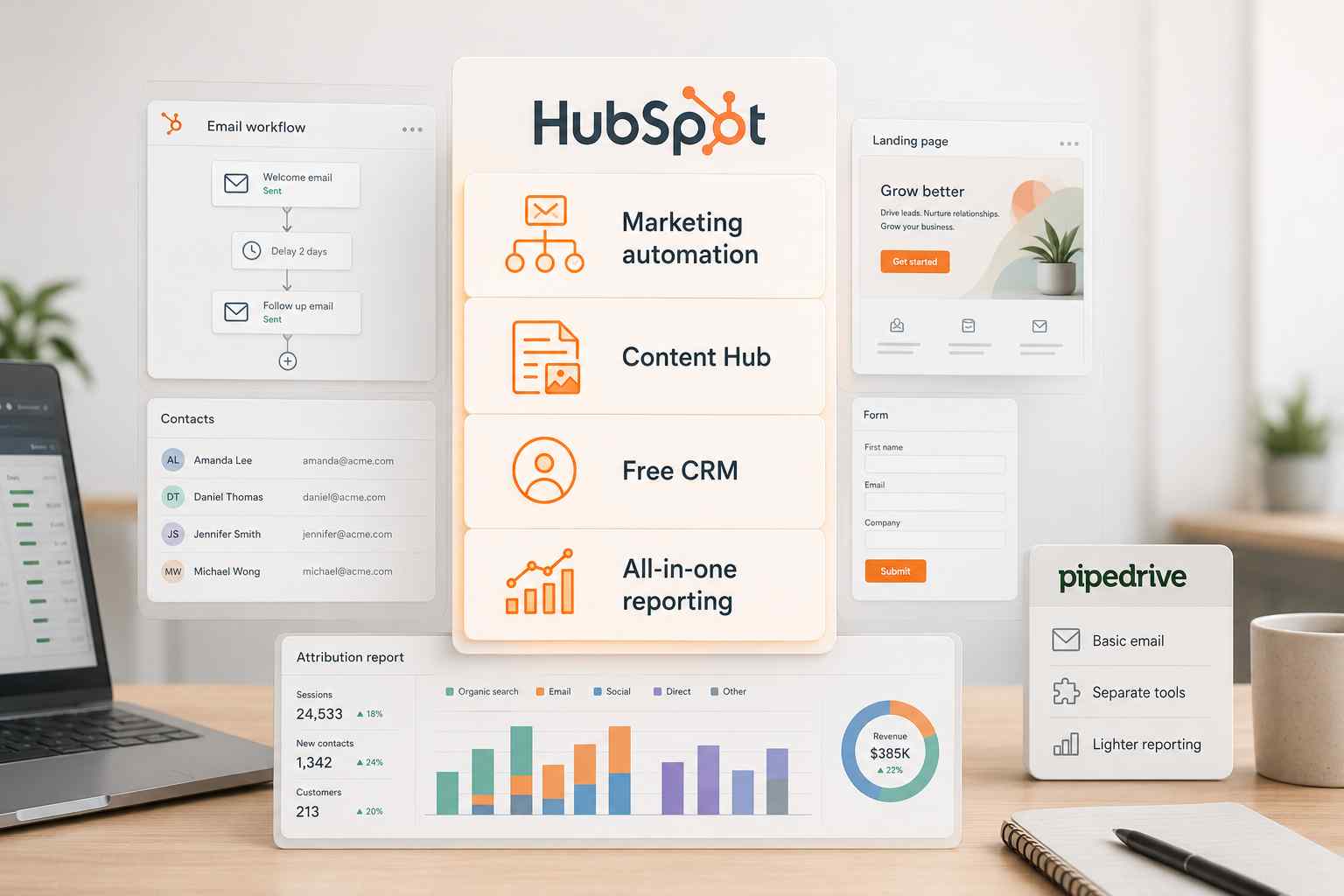
HubSpot Marketing Hub is a genuine marketing automation platform. Multi-step workflows carry branching logic, delays, and enrollment triggers. HubSpot separates workflows from sequences on purpose. Workflows drive marketing emails at the top of the funnel. Sequences send sales emails from a connected inbox at the bottom.
Lead scoring, nurture paths, and campaign attribution all run natively, moving a marketing-qualified lead toward a sales-qualified lead without manual handoff. Pipedrive does not do this. Its Campaigns add-on sends basic email and stops well short of segmentation and behavior-based automation.
If inbound marketing drives your pipeline, HubSpot removes a stack of duct-taped tools. This is the clearest reason teams pick it.
Content management and inbound infrastructure
HubSpot Content Hub bundles a CMS, blog, landing pages, and forms on the same contact database. A form submission becomes a contact, gets scored, and routes to sales automatically. SEO recommendations sit inside the editor.
For a content-led motion, that integration is real leverage. Pipedrive has no equivalent. You would assemble the same capability from three or four separate vendors and connect them yourself.
Free tier accessibility for early teams
HubSpot offers a genuine free CRM. Contacts, deals, and basic email tracking carry no time limit. For a two-person team leaving spreadsheets, that is a real starting point. Pipedrive has no free tier, only a short trial.
Teams outgrow HubSpot free fast, though. In September 2024, HubSpot cut the free plan to 1,000 contacts and two users for new accounts, and free workflow automation is limited to a single automated action. Most teams hit a wall inside a year and face the upgrade decision.
All-in-one platform integration
HubSpot's core pitch is one database for marketing, sales, and service. When you run Marketing Hub and Sales Hub together, lead-to-revenue reporting is built in. Attribution does not require a data warehouse.
Reporting dashboards run deeper than Pipedrive's out of the box, with custom report builders and multi-touch attribution. For a leadership team that wants consolidated marketing and sales numbers on one screen, HubSpot is the stronger surface.
Where Pipedrive genuinely wins
Pipedrive is the most underrated CRM for transactional B2B. It does one job and does it without friction. Here is where that focus pays back.
Sales pipeline focus and visualization
Pipedrive's visual pipeline is the product. Deals sit as cards on a drag-and-drop board. Organizations, Persons, Deals, and Activities map cleanly to how reps actually work. A rep updates a stage in seconds without hunting through nested menus.
Independent review scores back this up. Pipedrive rates higher than HubSpot on ease of use, 8.9 versus 8.7 on G2. On ease of setup, the gap widens to 8.7 versus 8.3. For a rep who lives in the pipeline eight hours a day, that friction difference compounds every single day.
Speed to deploy and time to value
Pipedrive is usable on day one. Most teams import contacts, configure pipelines, and onboard reps inside a week. A solo user can be operational in hours. HubSpot runs longer for SMB and longer still for mid-market, because it carries more configuration surface. Time to value matters more than most buyers admit. A CRM produces zero return until people actually use it.
Cost predictability at scale
Pipedrive charges a flat per-seat fee. Four tiers, one number per user, no contact-based billing. You can model a 20-seat or 50-seat total cost of ownership in your head. HubSpot cannot be modeled that way, which brings us to the cost section below.
User adoption for sales teams
Adoption is the whole game. Most CRMs become glorified spreadsheets within twelve months. A tool that fights the rep loses. Pipedrive's simplicity drives higher daily usage among sales teams. Reps log activity because the interface does not punish them for it. That is not a small thing. It is the difference between a forecast and a fiction.
The cost conversation nobody has honestly
We will not quote vendor prices here. Prices change and date the content. What does not change is structure. Structure is where the money actually hides.
The HubSpot marketing contacts trap
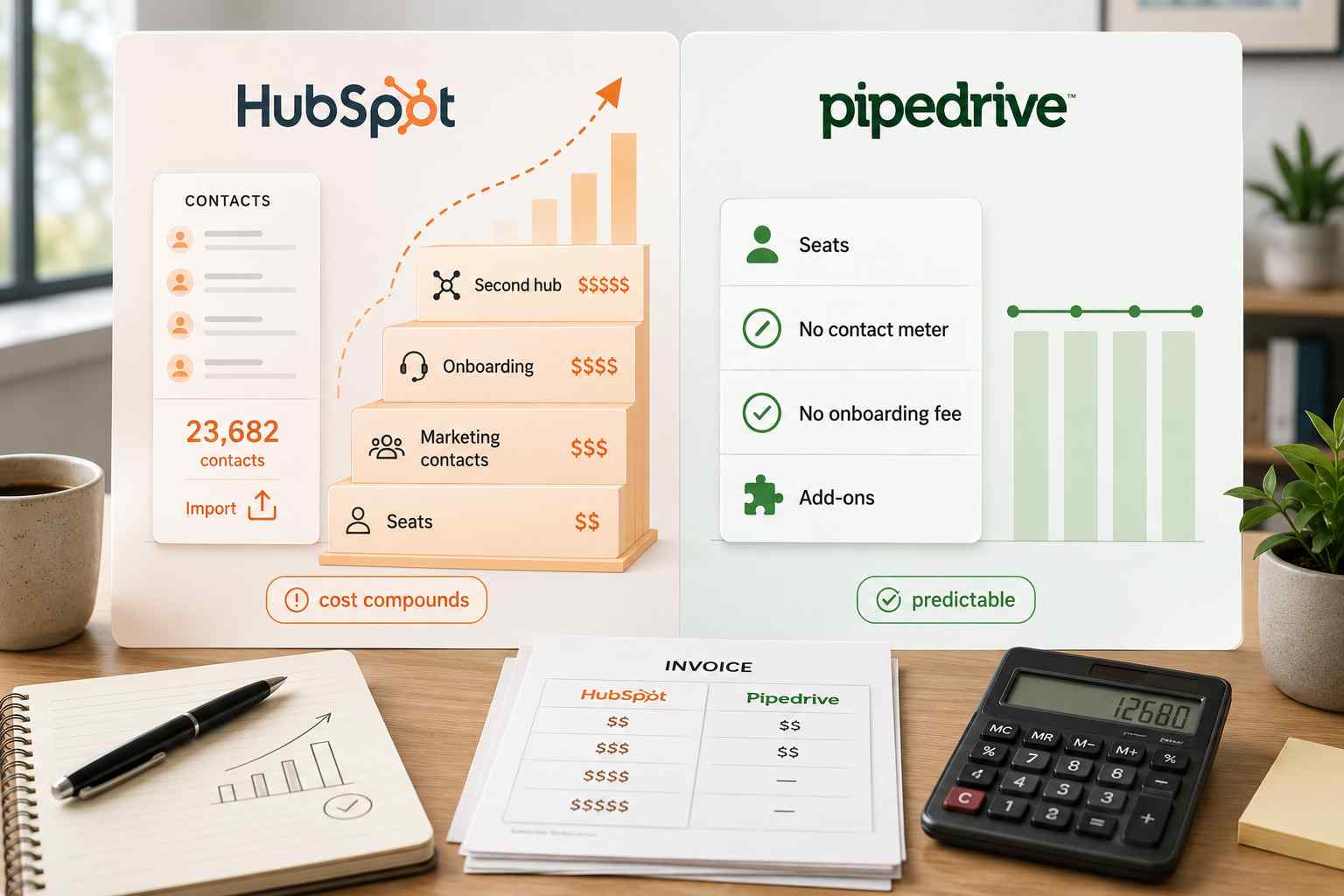
HubSpot Marketing Hub bills on two axes at once: per seat and per marketing contact. A marketing contact is anyone you can email or target with ads. Cross your contact tier by one person and HubSpot upgrades you automatically to the next tier.
Import a trade-show list and your bill steps up immediately. HubSpot upgrades you automatically but never downgrades you automatically. A tier drop only takes effect at renewal, and only if you request it. Integrations often tag every synced record as a marketing contact by default.
Teams end up paying to market to churned customers and accounts-payable vendors. This is the single most common cost surprise we see in the field.
HubSpot cost compounding past 10 users
HubSpot per-seat cost compounds painfully past 10 users. Sales Hub and Service Hub bill per seat, and the Starter-to-Professional jump is one of the steepest in software. Sequences, forecasting, and custom reports live behind the Professional tier.
Professional and Enterprise both carry a mandatory one-time onboarding fee. Add seats, add contacts, add a second hub, and the bill multiplies across three vectors at once. At 20 or 50 seats, that compounding is the real story, not the entry sticker.
Pipedrive cost structure predictability
Pipedrive has no marketing contacts trap. There is no contact-based meter and no mandatory onboarding fee. The late-2025 rebrand renamed the tiers to Lite, Growth, Premium, and Ultimate, folding the old Professional and Power plans into Premium.
Add-ons like LeadBooster, Campaigns, and Smart Docs bill on top, and they can raise a small team's bill meaningfully. But the model stays legible. You know what a new seat costs before you add it. For a finance team that hates surprises, that predictability carries real value.
Implementation and onboarding cost differences
HubSpot requires paid onboarding on Professional and Enterprise. You can route that fee to a certified partner instead of HubSpot, but the work is real either way. Pipedrive implementation is typically DIY or a short professional engagement. The gap in setup cost is not marginal. It is a multiple.
Migrating between the two
Migration is where the invisible debt shows up. Data moves. Structure does not move cleanly.
HubSpot to Pipedrive (when this makes sense)
Switch to Pipedrive when you pay for HubSpot Professional but use only the CRM. If marketing runs its own tools and hands leads to sales by Slack or spreadsheet, you gain nothing from one shared platform. Before you leave, confirm you are not using what HubSpot uniquely provides.
Nurture sequences, attribution, and landing pages do not exist in Pipedrive. Rebuilding them elsewhere is a separate project layered on top of the CRM move.
Pipedrive to HubSpot (when this makes sense)
Teams that pick Pipedrive early often hit a wall between 40 and 50 people. Marketing wants attribution. Customer success runs a separate renewal tool. The CEO wants a pipeline-to-revenue report nobody can produce. That is the trigger to move to HubSpot.
Pipedrive does not fail loudly. It accumulates missing data and broken handoffs until someone finally does the math.
What migration actually involves
Contacts and basic deal data transfer cleanly in both directions. Pipelines, custom fields, and automations do not. They get rebuilt from scratch. Field mapping, deduplication, and association preservation are the real work.
Pipedrive moved to token-based API rate limiting in late 2024, which breaks older extraction scripts under load. Budget weeks, not days. Plan a cutover window and freeze data entry during the final import.
When each is the right choice
Choose HubSpot when...
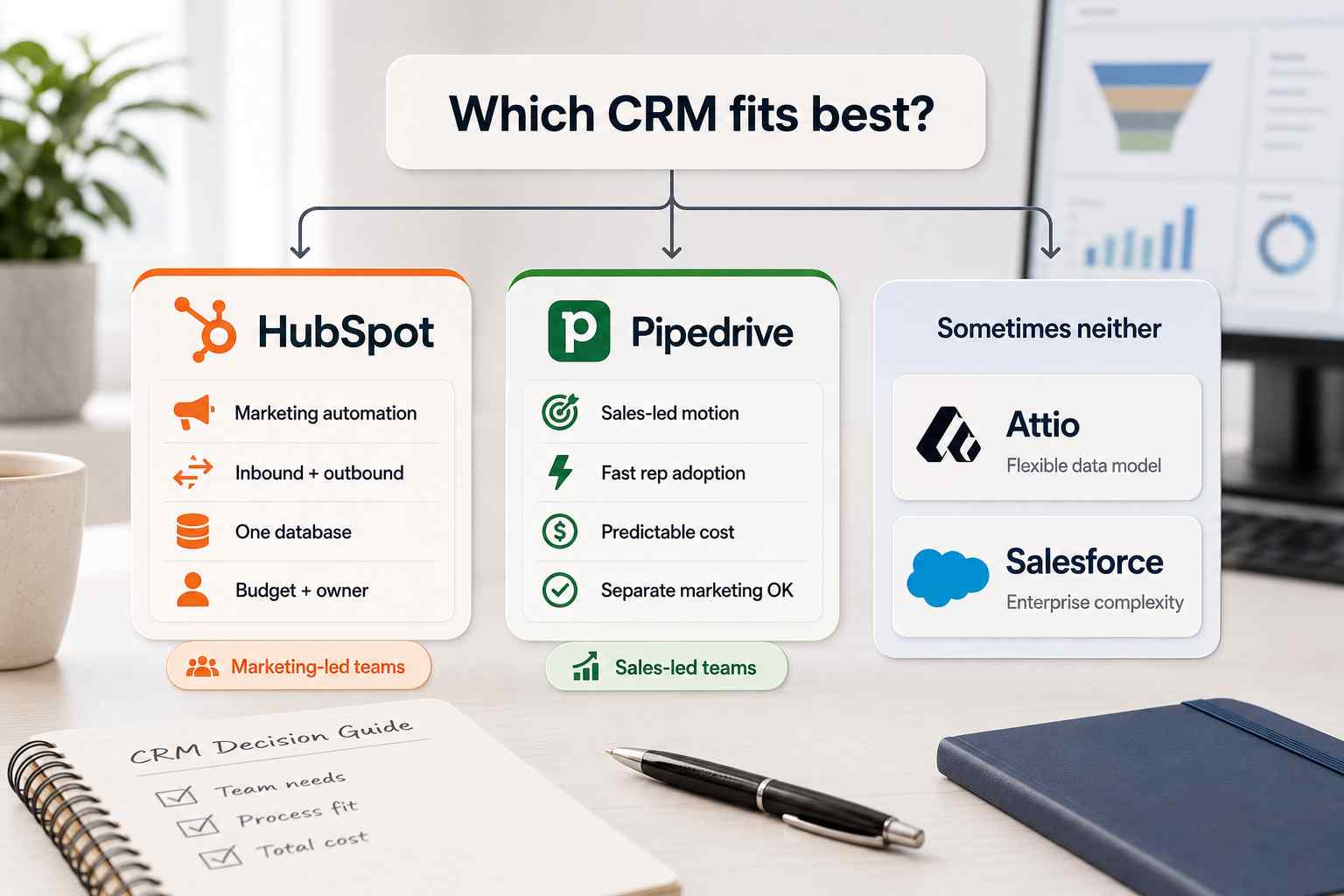
Marketing automation is part of the buying decision. You run inbound and outbound together with a marketing function generating leads. You want marketing, sales, and service on one database.
You have budget for Professional tiers and onboarding, and someone to own the system day to day. If you are heading this direction, read our note our HubSpot implementation page.
Choose Pipedrive when...
Sales is the primary go-to-market driver. You have a separate marketing tool, or you do not run marketing automation at all. You want reps adopting the tool without a formal training program. You want cost you can predict at 50 seats. See our Pipedrive implementation page for how we deploy it.
When both are wrong
Sometimes the honest answer is neither. If your business runs on a complex data model with custom objects and many-to-many relationships, Attio fits better. It is built on a relational model that modern go-to-market teams prefer, and we are a verified Attio Expert Partner.
If you need enterprise complexity, territory management, and deep customization at scale, Salesforce is the next conversation. We wrote a broader breakdown in Attio vs Pipedrive vs HubSpot vs Salesforce. We also compared Pipedrive against the enterprise standard in Pipedrive vs Salesforce.
How ACS thinks about the choice
The tool is downstream of the process. We start with what you sell, how you sell it, and where the operational debt sits. Then we pick the platform. Pipeline stages without exit criteria become forecasting fiction. So we define exit criteria before we configure a single stage. A CRM with no adoption plan becomes the spreadsheet it replaced.
Our pricing model reflects the same discipline. We do not bill by the hour. Hourly billing pays consultants to think slowly. We scope fixed engagements against defined outcomes. You can see the structure on our pricing page. We have shipped 500-plus workflows, reclaimed over 10,000 hours for clients, and driven more than $2 million in client savings.
Our verified partnerships are listed on our partners page. The proof sits in our case studies, including a $25M fencing operator whose 100-plus automations we stabilized and documented for the first time. The right CRM is the one your team will actually run. Everything else is a feature list.
Frequently asked questions
Is Pipedrive cheaper than HubSpot?
For a pure sales use case, yes, at almost every team size. Pipedrive's flat per-seat model runs well below HubSpot's equivalent Professional tiers. HubSpot narrows the gap only when you would otherwise buy a separate marketing automation tool. Total cost of ownership, not sticker price, is the number that matters.
Should a startup use HubSpot or Pipedrive?
A startup that needs a free starting point and plans an inbound motion should start with HubSpot's free CRM. A startup that is sales-led and wants fast adoption should start with Pipedrive. Match the tool to your motion, not to the longer feature list.
Can Pipedrive replace HubSpot for marketing?
No, not natively. Pipedrive's Campaigns add-on sends basic email. It does not do segmentation, nurture workflows, or attribution. If marketing automation drives your revenue, Pipedrive alone will not cover it. You would pair it with a dedicated marketing platform.
Is HubSpot worth the cost for a small sales team?
If the small team needs only pipeline management, usually not. You would pay platform prices for spreadsheet work. HubSpot earns its cost when marketing and sales share the platform. For a lean sales team, Pipedrive delivers most of the needed function for a fraction of the spend.
What does HubSpot include that Pipedrive doesn't?
Native marketing automation, a CMS with blog and landing pages, built-in attribution reporting, a free tier, and a deeper integration marketplace. HubSpot also offers more advanced reporting and AI out of the box. Pipedrive intentionally leaves these out to stay simple and fast.
Which is easier to use, Pipedrive or HubSpot?
Pipedrive, by the numbers. Reviewers rate it higher on both ease of use and ease of setup, 8.9 versus 8.7 and 8.7 versus 8.3 on G2. Its pipeline-first design means less clicking and faster rep adoption. HubSpot is capable but carries more surface area to learn.
Should I switch from HubSpot to Pipedrive?
Switch if you pay for HubSpot Professional but use only the CRM, and marketing runs on separate tools. Do not switch if your revenue depends on HubSpot's marketing side. Rebuilding nurture, attribution, and landing pages elsewhere is a real project, not a data export.
Your next three steps
Book a paid discovery diagnostic on our pricing page. Output is a written audit, a ranked bottleneck list, and a recommended scope.
Read the direct Pipedrive vs HubSpot comparison for the side-by-side detail.
Review our case studies to see the infrastructure we have shipped for $10M-$50M operators.
Still deciding? Start at our CRM implementation hub or read how to choose a CRM for mid-market.