

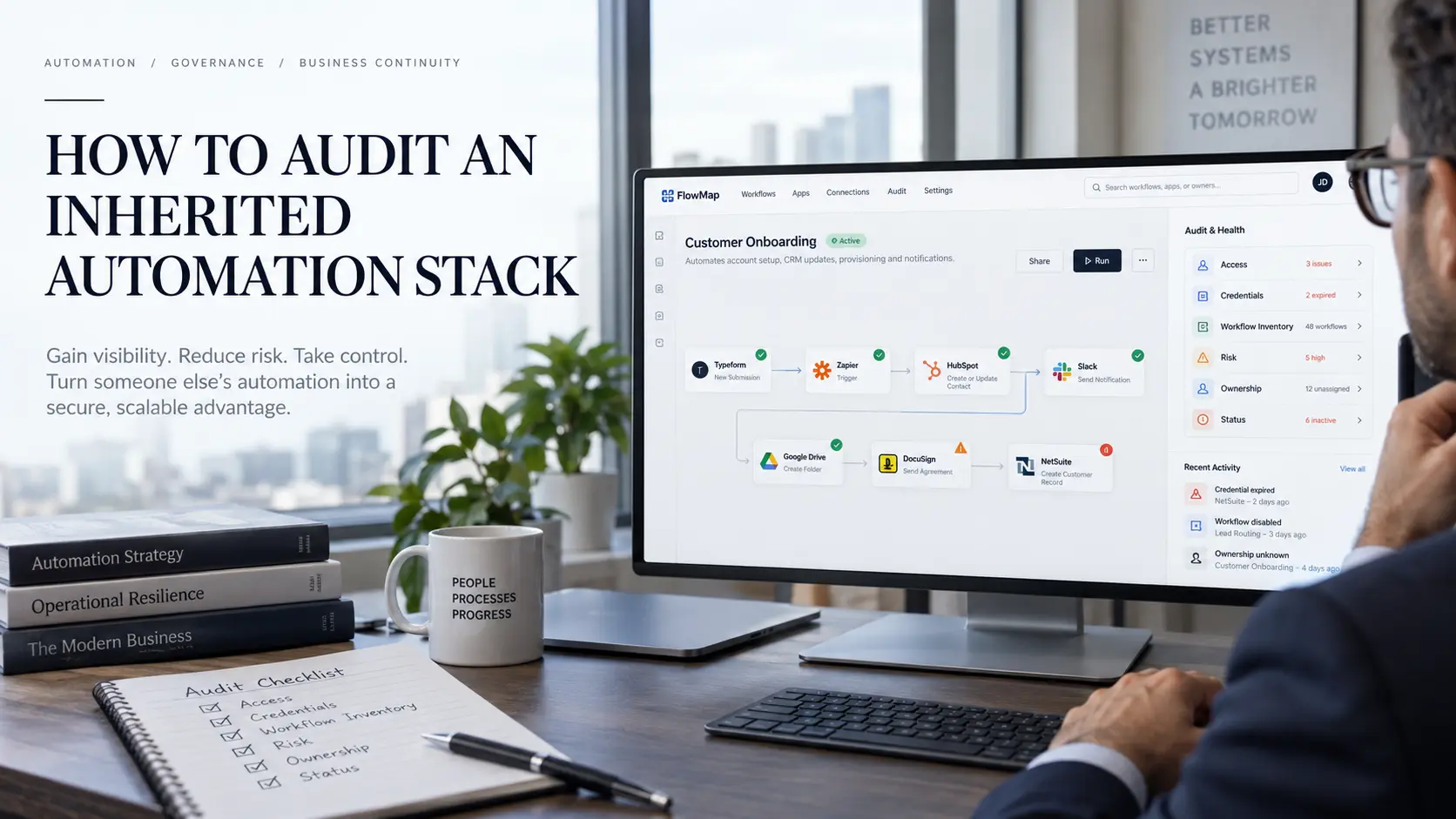
Sort what you find by two risks: what breaks if a workflow stops, and what breaks if it keeps running. Automation Consulting Services opens most operations automation engagements with this audit.
What you have actually inherited
An inherited automation stack is every workflow running in your business that nobody currently employed there designed.
This is a review of what your systems are doing on their own. It is not a compliance exercise, and it produces an inventory and a risk ranking rather than a report for anyone outside the business.
How you came to own the estate changes what you check first.
A builder left: The risk sits in credentials and in logic nobody wrote down
A vendor relationship ended: The risk sits in account ownership, and in workflows still running on infrastructure you do not control
You arrived or you acquired: The risk sits in scale, because you do not yet know what normal looks like
All three arrive at the same condition. You own an estate you cannot explain, and every day it runs unexamined is a day it can do something you would not have approved.
Check access before you touch a workflow
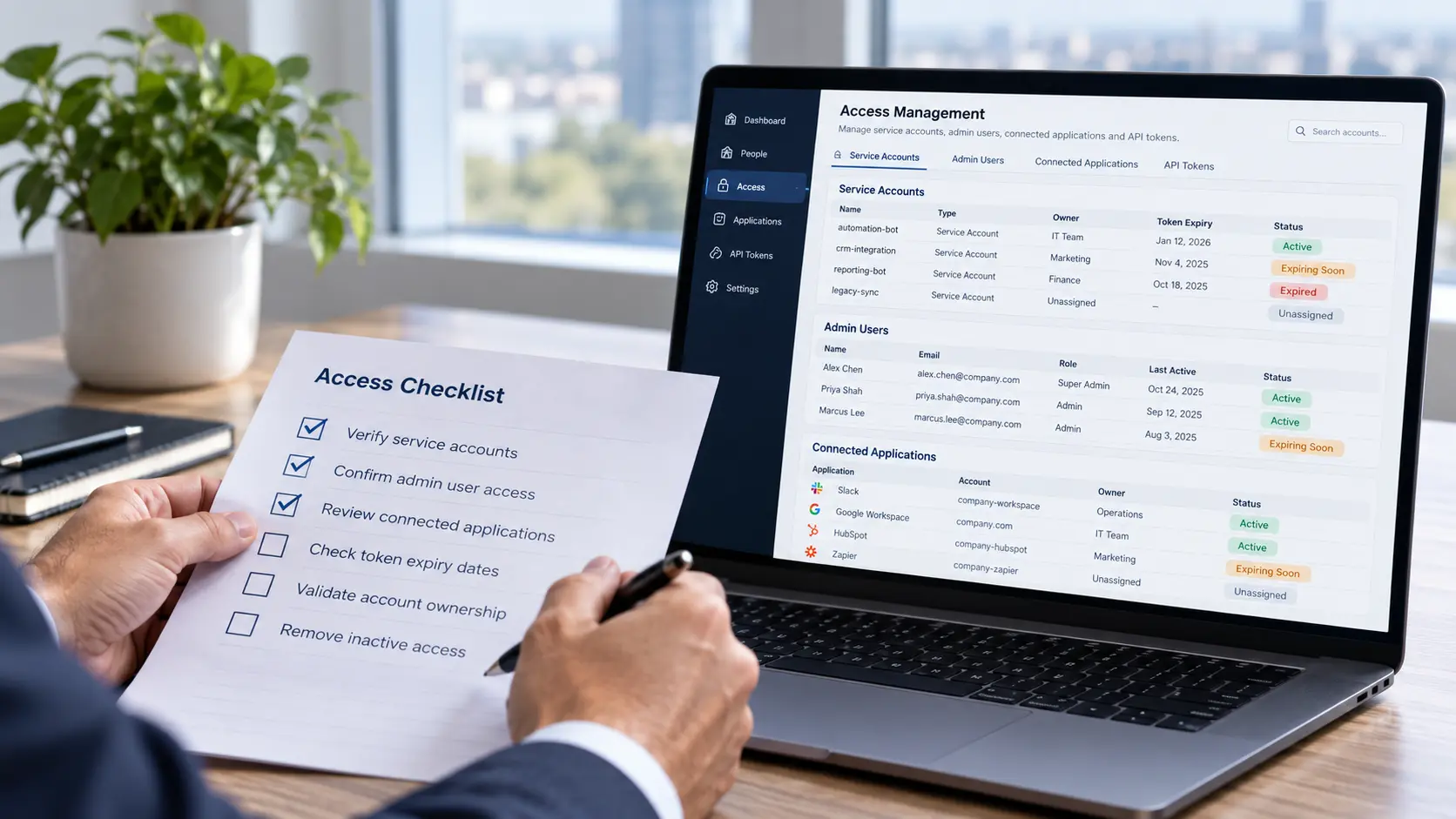
Most inherited estates run on credentials belonging to people who no longer work there.
Access comes first because it fails on a schedule you do not control. An offboarding ticket closes, a token expires, a card on a personal account declines, and a dozen workflows stop the same afternoon.
Establish five things before you open a single workflow:
Which account owns the platform subscription, and whether billing sits with a person or with the business
Which connected applications are authorised, and who authorised them
Whether any workflow authenticates through a personal account rather than a service account the business owns
Which credentials and tokens expire, and on what date
Who holds administrator access, and whether that list matches the people still employed
The estate does not fail loudly when access breaks. It just stops, and the first person to notice is usually a customer.
Move authentication onto service accounts the business controls before you change anything else. Every later step in this audit depends on you still being able to log in next quarter.
Finding everything that is running
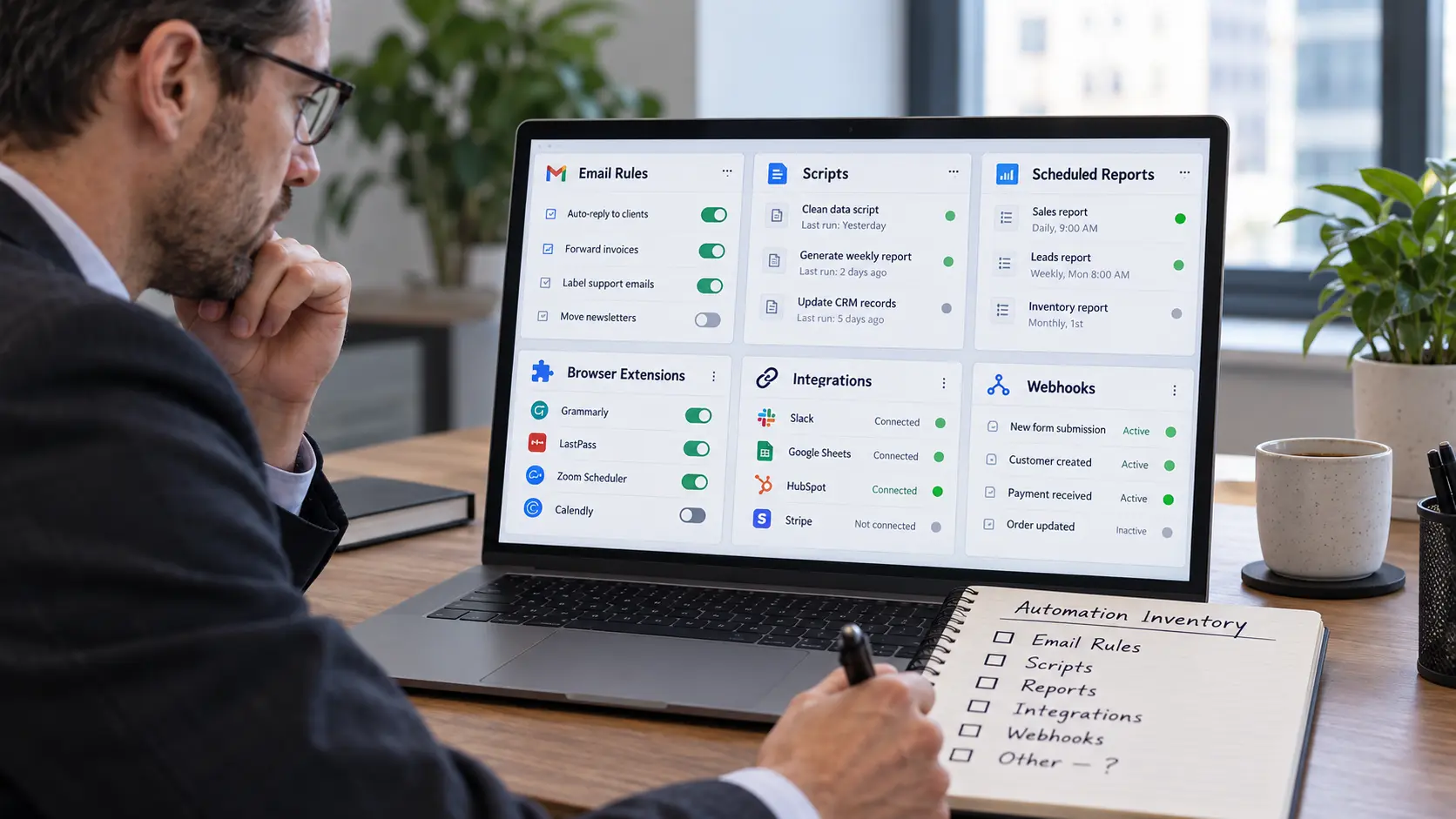
An inherited estate is always larger than the main platform dashboard shows.
Start with what exports cleanly. Log into every automation platform you have credentials for and pull a full list, recording the trigger, the action, the owner, and the date of the last successful run for each workflow.
Then check the places that never appear in a platform export:
Mailbox rules forwarding, filing, or auto-replying from somebody's account
Scripts attached to spreadsheets, running on a schedule nobody has reviewed in years
Scheduled reports and exports firing from inside a CRM or accounting system
Browser extensions doing work on one person's machine
Webhooks pointed at an endpoint that appears in no inventory
Native integrations between two applications, switched on once and never revisited
An inventory covering only the platform you already knew about is not an inventory. On one inherited estate we took over, the full count came to more than one hundred workflows under active management, and a meaningful share of them were running outside the system everyone assumed held all of them.
The two directions an inherited workflow hurts you
Every workflow you inherit carries two risks, one if it stops and one if it keeps running.
Stop risk
Stop risk is what breaks when a workflow quits. A nightly sync nobody knew existed keeps a scheduling board current, and when it dies the board silently goes stale.
This is the risk every audit guide already covers, and it is the easier of the two. Work stops, somebody complains, and you find it.
Continue risk
Continue risk is what breaks when a workflow keeps doing its job after the reason for it expired. It is silent by design, because the workflow is succeeding at something you no longer want.
A sync still overwriting a field that a person now maintains by hand
A dispatch or task still firing against a job that closed
An invoice or document still generating on a schedule nobody reviews
A report still delivering to somebody who left the company
An outbound sequence still contacting a list assembled under terms nobody can produce
Nobody complains about continue risk, because from the outside the automation looks healthy. On the fencing operation documented in our ongoing operations retainer, more than ten workflows were found broken and still running, firing on schedule and producing nothing anyone used.
The question that sorts them
Ask one question of every workflow in your inventory. If this broke tomorrow, who would notice, and how would they notice?
A workflow nobody would notice breaking is one of two things. It is unmonitored, in which case it needs instrumentation. Or it is unnecessary, in which case it needs retiring.
Deciding which of those two applies is the entire triage. Everything else in the audit exists to let you answer that question honestly.
Deciding what to turn off
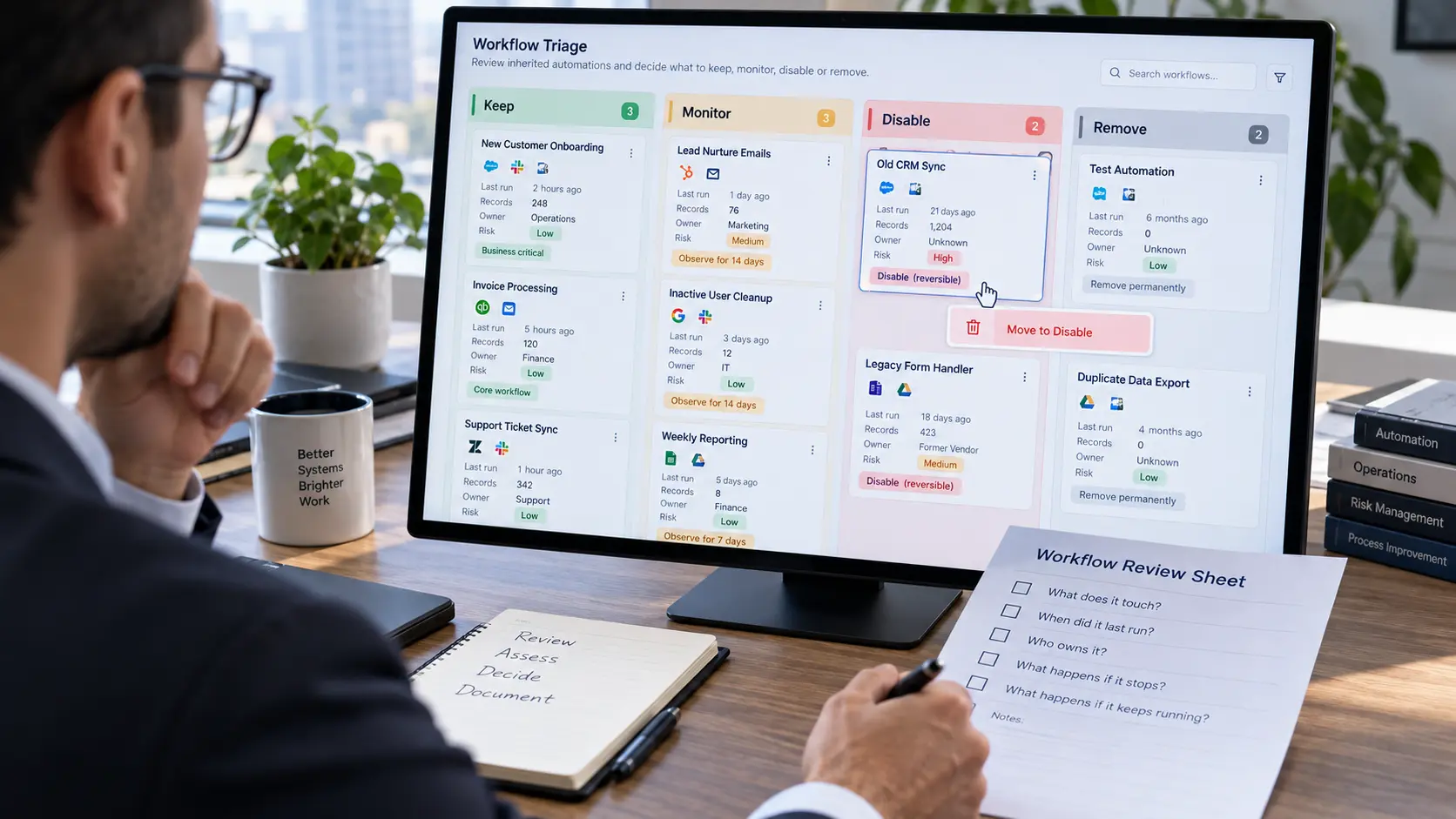
The hardest call in an inherited estate is which workflows to stop.
Most operators avoid the decision entirely, which is why estates only ever grow. Use a method instead of nerve.
Establish what it touches: List every system the workflow writes to and every record type it modifies. If you cannot determine this from the configuration, that inability is itself the finding
Check the run history: Record when it last fired, how often it fires, and how many records it touched on the last run
Disable, do not delete: Disabling is reversible and it preserves the configuration you may need to read in three weeks
Set an observation window: Two full business cycles for anything monthly, two weeks for anything daily. Name the person watching and the specific thing they are watching for
Remove only after the window closes clean: Then record what was removed and why, so nobody rebuilds it next year
Anything nobody can explain and nobody claims gets disabled, not debugged. Reverse engineering a workflow whose purpose nobody can state is paid archaeology, and the answer is rarely worth the hours.
Where to start, based on what you are running
The order of the audit depends on how many workflows you have and how many places they live.
Under twenty workflows on one platform: a realistic first pass is one afternoon. Start with access, then a full inventory
Twenty to one hundred workflows on one or two platforms: a realistic first pass is two to three days. Start with access, then continue risk, then inventory
Over one hundred workflows across several platforms: a realistic first pass is one to two weeks. Start with access, then error logs, then triage by blast radius
Any size, with platform access still unresolved: nothing else starts until that is fixed. Start with recovering account ownership
Larger estates invert the order because a full inventory takes longer than you have. Find what is actively causing damage first, then complete the catalogue while the damage is contained.
What the estate is costing you
An undocumented estate bills every month for workflows nobody has read.
Task and operation volume consumed by workflows nobody claims
Seats and licences on platforms only one departed person ever used
Two tools doing one job, because nobody knew the first one existed
The cost case is the easiest part of the audit to present upward and usually the least important finding in it. A wasted subscription is an annoyance. A workflow quietly writing bad data into your CRM for eight months is a different order of problem.
Writing it down so nobody inherits this twice
The audit is finished when somebody who was not there can run the estate.
Four artefacts close it out:
A one-sentence purpose statement per workflow, naming what it does and who depends on it
A naming convention applied across everything, because inherited estates fill with workflows called "new automation"
A written specification for anything critical, covering trigger, steps, failure modes, and rollback
A named owner per workflow, and a review date on somebody's calendar
If the estate you inherited came from an outside builder, the handover you should demand next time is worth reading before you sign the next engagement. Documentation is cheap to require at the start and expensive to reconstruct at the end.
Getting a defensible picture of your estate
An estate you cannot verify is an estate you cannot safely change. The steps above get you an inventory, a risk ranking, and a defensible list of what to turn off.
What they do not give you is the target architecture or the order to rebuild in. A paid discovery audit maps the estate, ranks the bottlenecks, and returns a written scope with a fixed price attached.
Frequently asked questions
How do I find automations that are not on our main platform?
Check mailbox rules, spreadsheet scripts, scheduled reports inside your CRM and accounting system, browser extensions, and native app-to-app integrations. Ask every department head which recurring reports or messages arrive without anyone sending them, because that question surfaces automations no export will show you.
Is it safe to turn off a workflow nobody can explain?
It is safer than leaving it running, provided you disable rather than delete and set an observation window first. Disabling is reversible, so the worst case is that somebody notices within two weeks and you switch it back on with the configuration intact.
What should I do first when the person who built our automations has left?
Secure access before anything else. Move platform ownership and workflow authentication onto accounts the business controls, because an offboarding process can stop the entire estate without warning and without an error message.
How long does auditing an inherited automation stack take?
An afternoon for a small single-platform estate, and one to two weeks for a large estate spread across several platforms. The variable is not workflow count so much as how many places they live and whether you have credentials for all of them.