

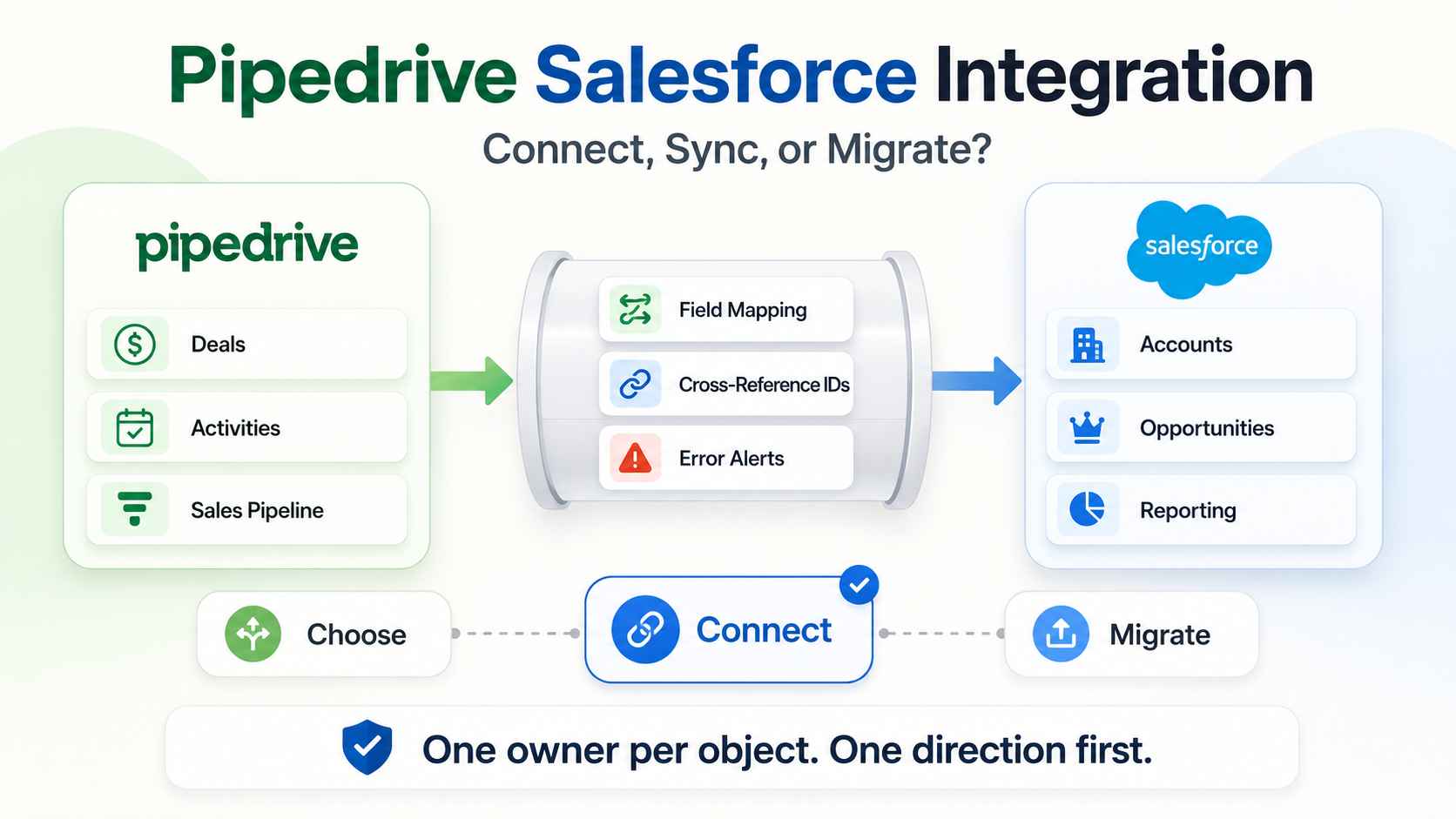
We build operations infrastructure with engineering discipline for $10M-$50M operators. Integration work sits at the center of that: connecting systems that hold the same customers but speak different schemas. We are a Zapier Certified Solutions Partner and an Attio Expert Partner, and we hold no partnership with Pipedrive or Salesforce.
That matters here. The searchers on this page do not want a comparison. They already run both platforms, or they are about to, and they need the two systems connected without breaking either one.
The honest verdict
Connecting Pipedrive and Salesforce works, and thousands of companies run the pair on purpose. The integration itself is solvable with middleware or a custom build. The hard part is architecture: deciding which system owns which data, which direction records flow, and what happens on a conflict.
One honest caveat before the how-to. A meaningful share of integration searches are really deferred decisions. If nobody can explain why both CRMs exist, the sync is life support for a migration someone is avoiding. We cover that signal near the end, and the full exit path lives in our Salesforce to Pipedrive migration playbook.
The three verbs: choose, connect, migrate
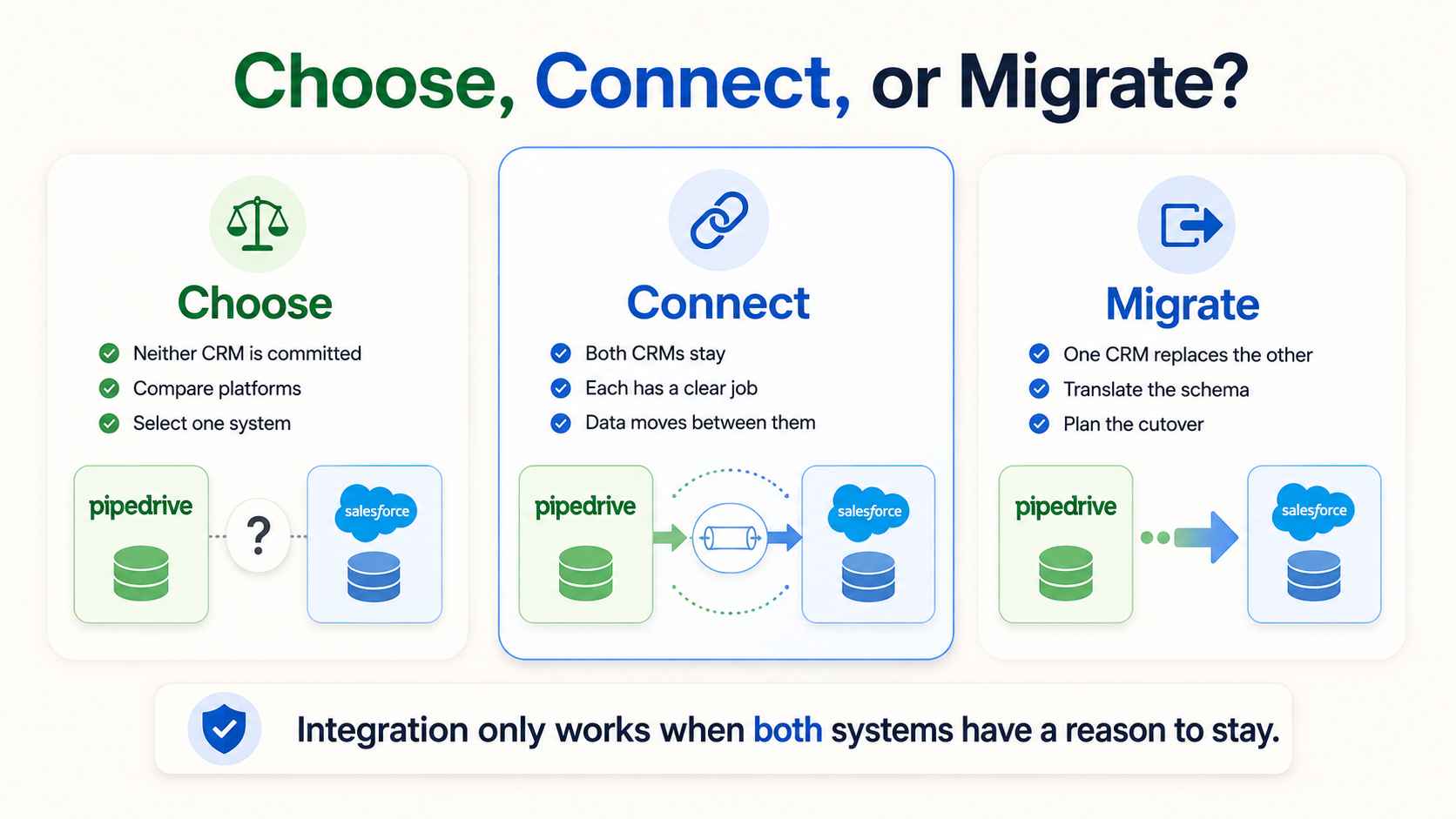
Most teams pick the wrong verb. CRM decisions come in three shapes, and each shape has different work behind it.
Choose means neither system is committed yet. That is a comparison problem. Our Pipedrive vs Salesforce breakdown and comparison page handle it.
Migrate means one system replaces the other. That is a schema translation problem with a cutover date.
Connect means both systems stay, each doing a job the other does not. That is a data architecture problem, and it is this post. Confirm you are actually in the third case before building anything. Integration built on an unmade decision becomes permanent accidental infrastructure.
When running Pipedrive and Salesforce together makes sense
Legitimate patterns exist. We see five.
A division split. The parent company runs Salesforce for enterprise process and rollup reporting. A sales division or subsidiary runs Pipedrive for speed and cost. Won deals sync upward so corporate sees one pipeline. The mechanics stay simple: closed deals land in Salesforce as opportunities carrying a source flag, and corporate dashboards read one dataset without touching the division's daily tool.
A post-acquisition state. The acquired team arrives on Pipedrive. The acquirer runs Salesforce. The sync bridges reporting during the transition, and sometimes the transition is allowed to last.
A department split. Sales lives in Pipedrive because reps actually use it. Service or finance lives in Salesforce because Service Cloud or compliance demands it. Customer records stay aligned across both.
A channel structure. Partner or reseller motion runs in Pipedrive. Direct enterprise motion runs in Salesforce. Shared accounts need one view.
A phased migration. The sync runs during a controlled transition window with a planned end date. This is the only pattern where the integration is designed to die. Put the end date in writing when the sync goes live. Temporary integrations without expiry dates become permanent by default, and permanent-by-default is how accidental architecture happens.
If your situation matches none of these, pause. You may be in the migrate case wearing integration clothes.
The pattern also sets the sync scope. A division rollup syncs won deals only. A department split syncs shared customer records but not pipelines. A phased migration syncs everything, briefly. Scope creep past the pattern is the first sign the architecture drifted.
The architecture decisions that matter
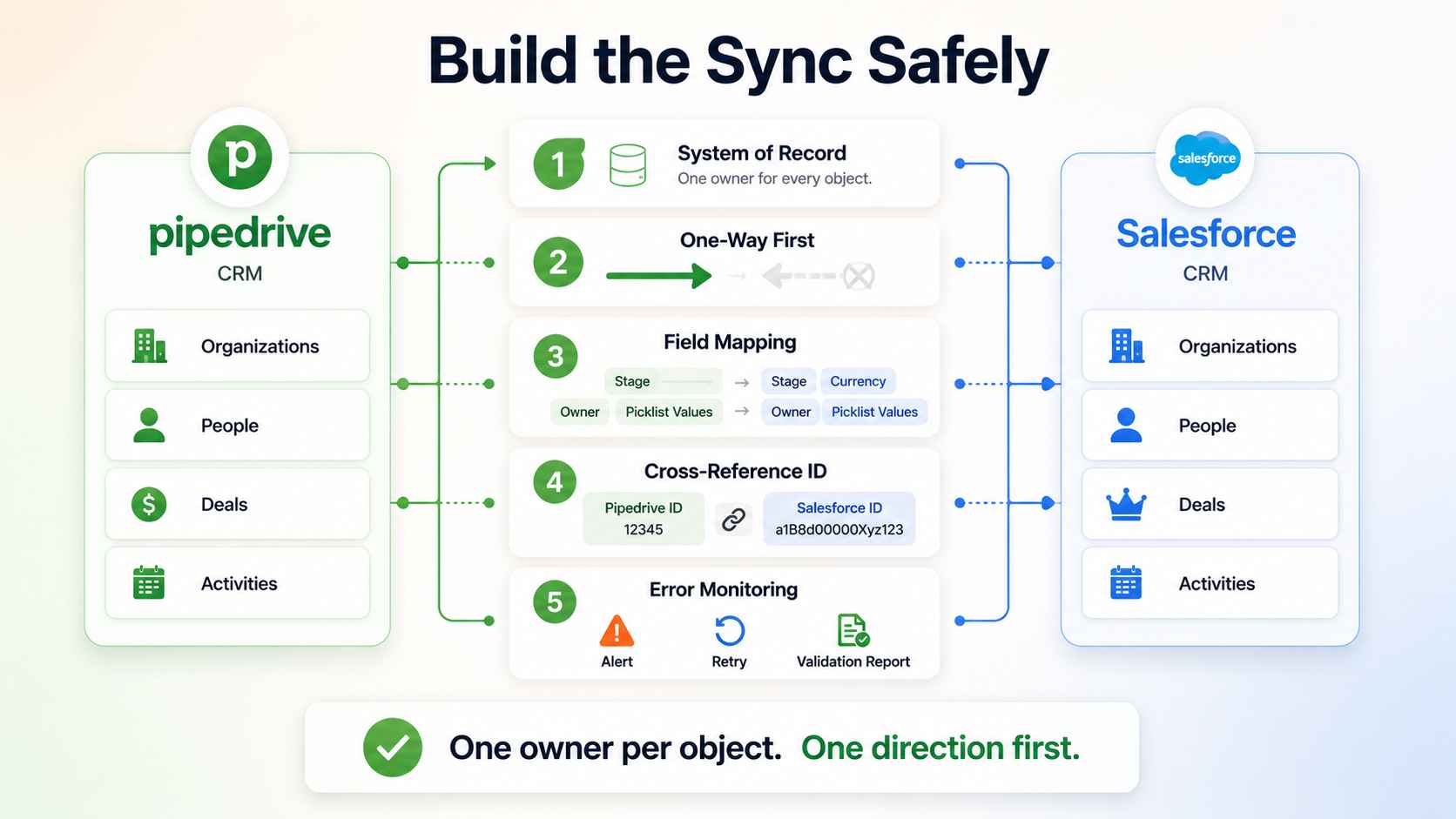
The connector tool is the last decision. These five come first.
System of record per object
Every object needs one owner. Accounts and compliance data usually belong to Salesforce. Active deal state usually belongs to Pipedrive, because that is where reps work. Write it down per object: organizations, people, deals, activities.
Skip this and you built a duplicate factory. Two systems editing the same record with equal authority will disagree, and the disagreement multiplies quietly.
Ownership needs its own map. The user tables differ, so every synced record needs a rule translating Pipedrive owners to Salesforce owners and back. Unmapped owners default to an integration user, and records owned by a robot are records nobody works.
Direction: one-way beats two-way until proven otherwise
A two-way sync is two one-way syncs that can fight each other. Record updated in both systems between sync runs. Loop protection missing. Field A overwrites field B, which triggers a sync back, which overwrites field A.
Start one-way. Pipedrive deals flow to Salesforce for reporting, or Salesforce accounts flow to Pipedrive for context. Add the reverse direction only for specific fields with a proven need. Every two-way field is a conflict surface.
The test for earning two-way is simple. Both teams edit the field, weekly, with a business reason. Fewer fields pass that test than anyone expects.
Field mapping and the cross-reference ID
Build the mapping table before the connector. Every synced field gets a source, a destination, a transform rule, and an owner. Currencies, stage names, and picklist values rarely match across systems. Map them explicitly.
Stages are the classic trap. A Pipedrive pipeline stage must land on a valid Salesforce opportunity stage, and the probability numbers attached to each rarely agree. Decide which side's definitions win, then translate, or the two forecasts will never reconcile.
Then store the cross-reference. Every synced record carries the other system's ID in a custom field. That single field makes validation, troubleshooting, and unwinding possible. Without it, matching records later is guesswork.
Conflict resolution and dedup keys
Decide the tiebreaker before the first conflict. System-of-record wins is the clean rule. Last-write-wins is the default in many tools, and it is how a stale mobile edit erases a day of work.
Dedup keys come next. Match people on email. Match organizations on domain. Enforce the keys at the integration layer so a formatting difference does not create a twin record.
Error handling: integrations fail silently
Integrations do not fail loudly. They fail silently, and silence costs pipeline. An expired token, a changed field name, or a hit rate limit just stops the flow. Nobody notices until the forecast looks wrong.
Every sync needs an error alert to a named owner. Every week, a validation report compares record counts across both systems. Alerts catch the breakage. Counts catch the drift.
Three alerts are the minimum. Authentication failure, because tokens expire. Mapping failure, because someone renames a field eventually. Volume anomaly, because zero records synced on a Tuesday is a failure wearing a green checkmark.
The three ways to build it
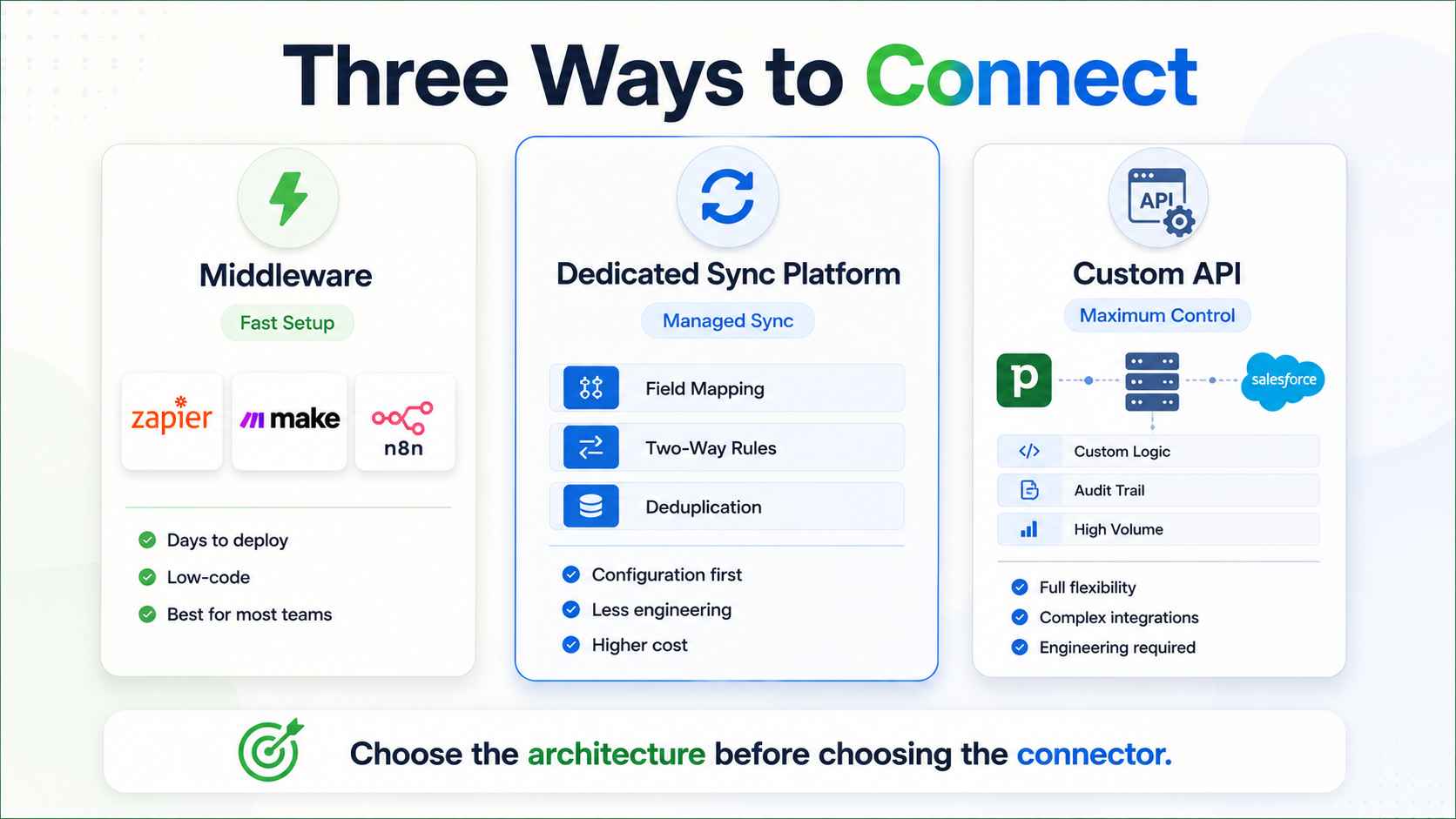
There is no first-party native connector between Pipedrive and Salesforce. Three real paths exist.
Middleware: Zapier, Make, n8n
Zapier ships prebuilt Pipedrive and Salesforce connections with triggers like new deal, updated deal, and new lead. Make and n8n cover the same ground with more logic control, and n8n adds self-hosting. Setup runs in days.
Middleware fits moderate volume and standard objects. Watch the task consumption at scale, and keep the loop protection explicit. Know the latency model too: webhook triggers fire near real time, polling triggers run on an interval, and the wrong choice makes a fast sales floor wait on a slow sync. This path is where our Zapier Certified Solutions Partner work lives, and it is the right first build for most mid-market pairs.
Dedicated sync platforms
Purpose-built CRM sync tools handle field mapping, deduplication, and two-way rules through configuration instead of logic building. They cost more than middleware and think about sync problems full time.
They fit teams that want two-way sync without engineering ownership. The trade is ceiling: complex transforms and custom objects still push past what configuration covers.
Custom API integration
The Salesforce API and the Pipedrive API, joined by a staging layer you control. Extract, transform, load, log. This path handles custom objects, complex mapping, full audit trails, and volume. The staging layer carries the safety gear: a transform log for every change, a retry queue for transient failures, and a dead-letter store for records that need a human.
Plan around the limits on both sides. Salesforce caps daily API calls by edition. Pipedrive rate limits by token. Batch the loads, and load child records after parents to prevent orphans. This is the method we use when the sync carries revenue-grade data, through our integration builds service.
Budget the API spend like any shared resource. The sync competes with every other tool calling the same APIs, and a greedy integration can starve the rest of the stack. Reserve headroom, schedule heavy batches off-hours, and log consumption so the first limit warning is not a production outage.
The HubSpot and Pipedrive pattern
The second most searched pairing deserves its own section. Marketing runs HubSpot. Sales runs Pipedrive. This split is common at mid-market because each tool is best at exactly that half.
HubSpot ships a native Pipedrive sync through its data sync apps, covering contacts two-way with historical sync. That makes the basic pattern cheap to stand up: leads nurture in HubSpot, hit a qualification trigger, and land in Pipedrive as a person plus a deal. The native layer is strongest on contacts. Deal and pipeline sync usually needs middleware on top, so plan the stack accordingly.
The same architecture rules apply. HubSpot owns marketing contact state. Pipedrive owns deal state. The qualification handoff gets one definition, written down. Lifecycle stage mismatches are the classic failure here, so map them first. Our Pipedrive vs HubSpot comparison covers when this split beats consolidating on one platform.
When connecting is postponing
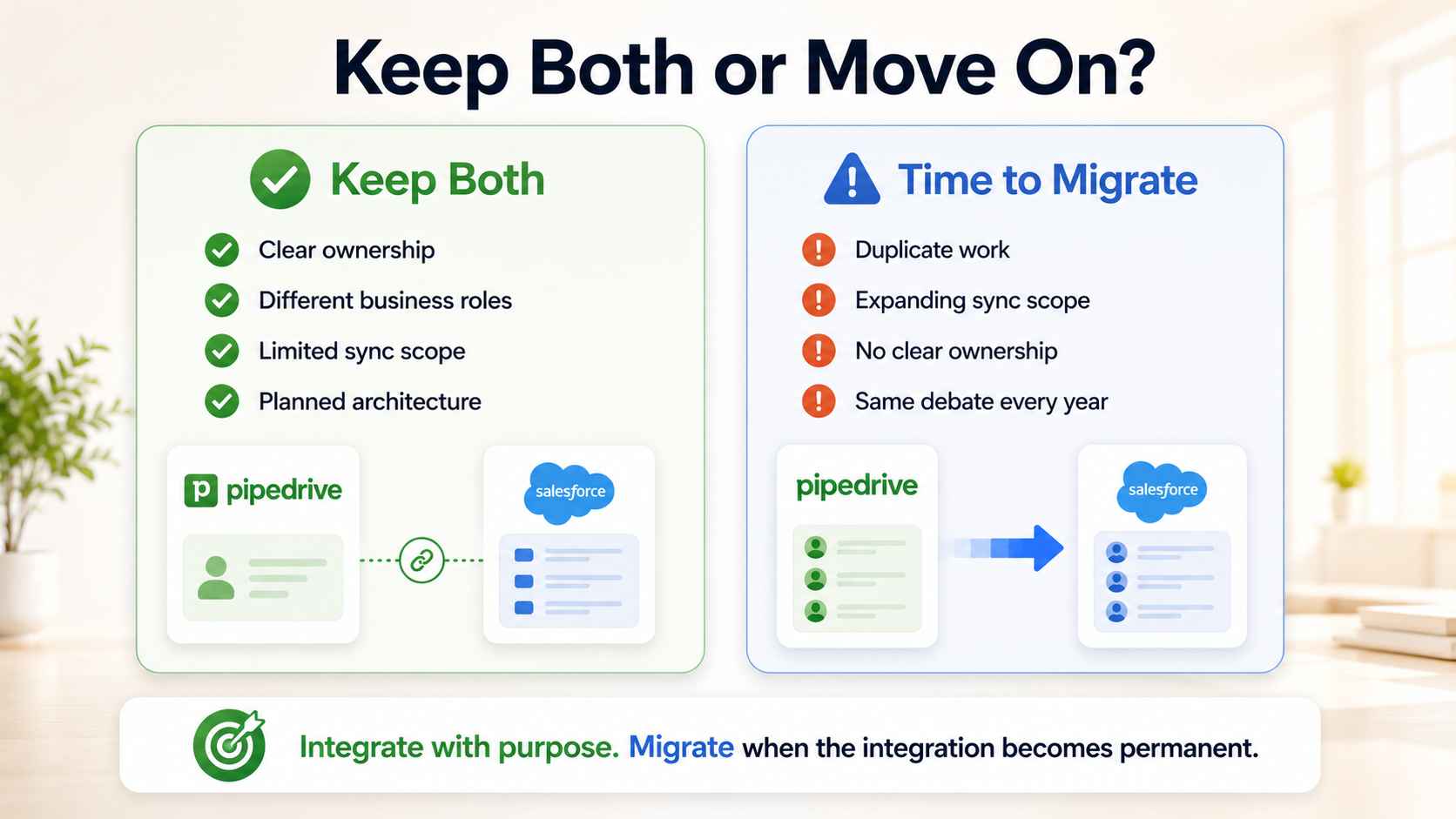
Watch for four signals that the integration is a deferred migration.
Nobody can name the job each CRM does that the other cannot. Duplicate work grows instead of shrinking. The sync scope keeps expanding until both systems hold everything. And renewal season triggers the same debate every year.
Two CRMs cost two licenses, one integration, and one owner for the seam. Price the seam annually: maintenance hours, middleware fees, and the drift incidents that eat an afternoon each. That spend is justified when each system earns its keep.
When it is inertia, the honest move is picking one. The migration playbook covers the Salesforce exit path step by step. The right CRM is the one your team uses without being told to, and sometimes the integration exists because nobody asked which one that is.
How ACS builds CRM integrations
We build integrations as fixed-scope engineering projects. Discovery first, refundable: we map the objects, name the system of record per object, and produce the field mapping table.
Then the build, one-way first, with dedup keys enforced and the cross-reference IDs stored. Then error alerting to a named owner and a weekly validation report. We work across Zapier, Make, n8n for self-hosted control, and custom Python or Node when the sync outgrows middleware.
Every integration ships with a runbook. Most automation projects fail at handoff, not at build, and a sync without documentation is a dependency on whoever wired it. Hourly billing pays consultants to think slowly, so the engagement is fixed fee. The structure is on our pricing page.
The proof: 500+ workflows shipped, more than 10,000 hours reclaimed, over $2 million in client savings. Integration work runs through our integration builds service, with platform detail on the Pipedrive and Salesforce pages. Credentials, including the Zapier certification, sit on the partners page, and shipped systems in the case studies.
Frequently asked questions
Is there a native Pipedrive Salesforce integration?
No first-party connector exists between the two. The real options are middleware like Zapier, Make, or n8n, dedicated sync platforms, or a custom API build. Which one fits depends on volume, object complexity, and who owns the integration afterward.
Can Pipedrive and Salesforce sync two-way?
Yes, and it should be earned, not default. Two-way sync doubles the conflict surface. Start one-way from the system of record, prove the flow, then add reverse direction for specific fields with loop protection and a defined tiebreaker.
How do I sync Pipedrive with Salesforce using Zapier?
Connect both accounts, then build Zaps on triggers like new deal or updated deal in Pipedrive, mapped to create or update record actions in Salesforce. Map fields explicitly, store each system's ID in the other, and add error notifications. Test with a sample before turning on volume.
Should we integrate or migrate?
Integrate when each CRM does a job the other cannot, like Service Cloud on one side and rep adoption on the other. Migrate when nobody can name that job. An integration built to avoid a decision costs more than the decision.
Can HubSpot and Pipedrive work together?
Yes. HubSpot offers a native Pipedrive data sync, and the marketing-in-HubSpot, sales-in-Pipedrive split is a proven mid-market pattern. Define the qualification handoff once, map lifecycle stages carefully, and give the sync a named owner.
What does a custom CRM integration cost?
Cost follows architecture, not record count. One-way middleware builds land small. Two-way custom API builds with staging and audit trails cost more and carry more. We price integrations as fixed-fee projects after a refundable discovery. Structure is on the pricing page.
Who should own the integration after it ships?
A named person, not a team. The owner receives the error alerts, runs the weekly count validation, and approves mapping changes. Ownerless integrations decay into silent failure. The runbook exists so the owner can be anyone, including the next hire.
How long does a Pipedrive Salesforce integration take?
A one-way middleware sync ships in days. A governed two-way custom build runs two to four weeks including mapping, testing, and the validation window. The mapping table and conflict rules take longer than the connector itself.
Connecting Pipedrive and Salesforce?
Three ways to start.
Book a paid discovery. We map your objects, name the system of record, and scope the build. Refundable if integration is the wrong call. See pricing.
Read the service detail. Our integration builds page covers the engineering approach.
Review the proof. The case studies show shipped systems moving real revenue data.
One owner per object. One direction first. One runbook always.