

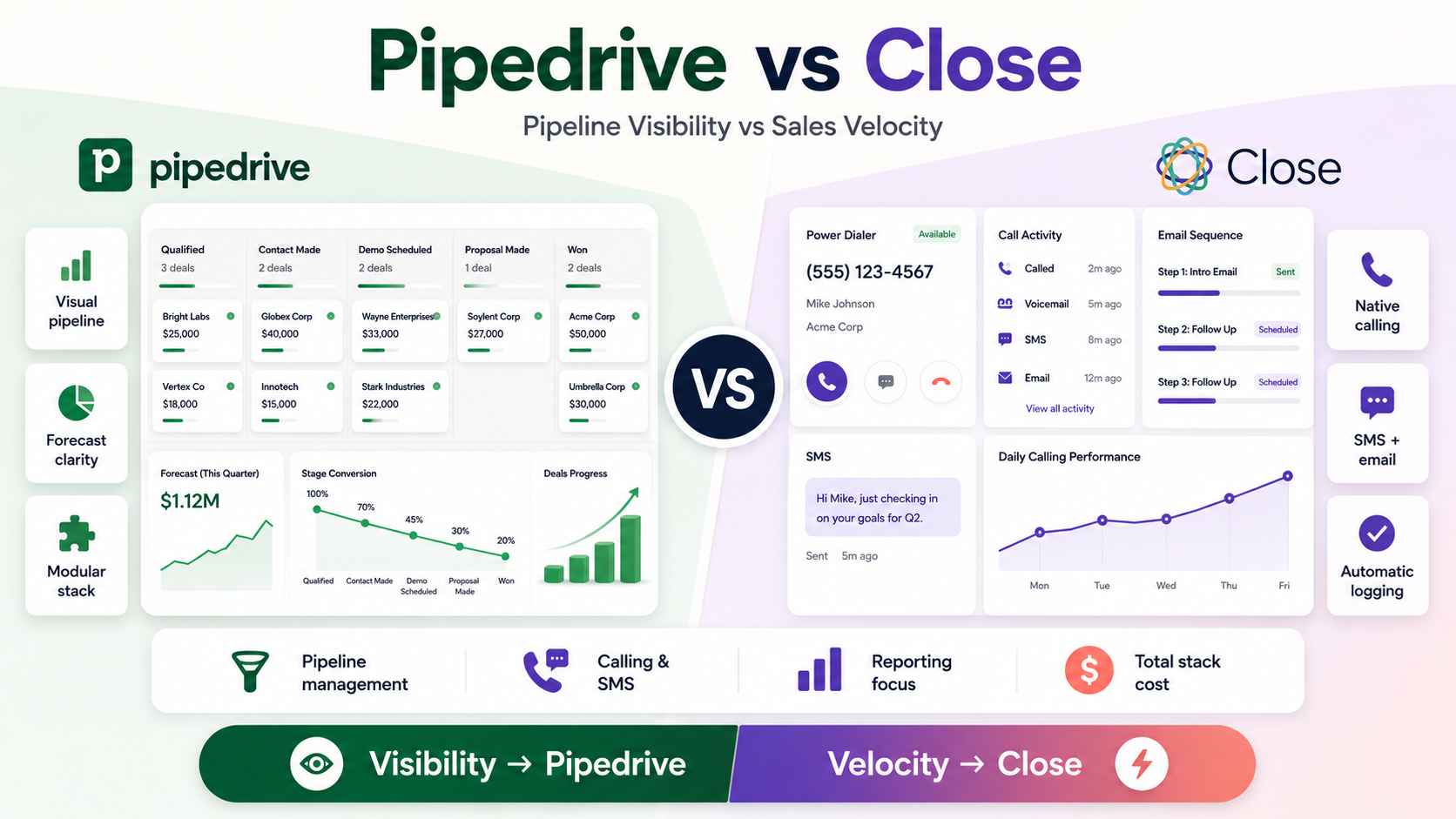
We build operations infrastructure with engineering discipline for $10M-$50M operators. Pipedrive vs Close comes up constantly in that work, because both platforms target the same buyer: a transactional B2B team that outgrew spreadsheets and does not want Salesforce.
We implement both. We hold no partnership with either. We are a Zapier Certified Solutions Partner and an Attio Expert Partner. No license commission sits behind anything below.
The honest verdict
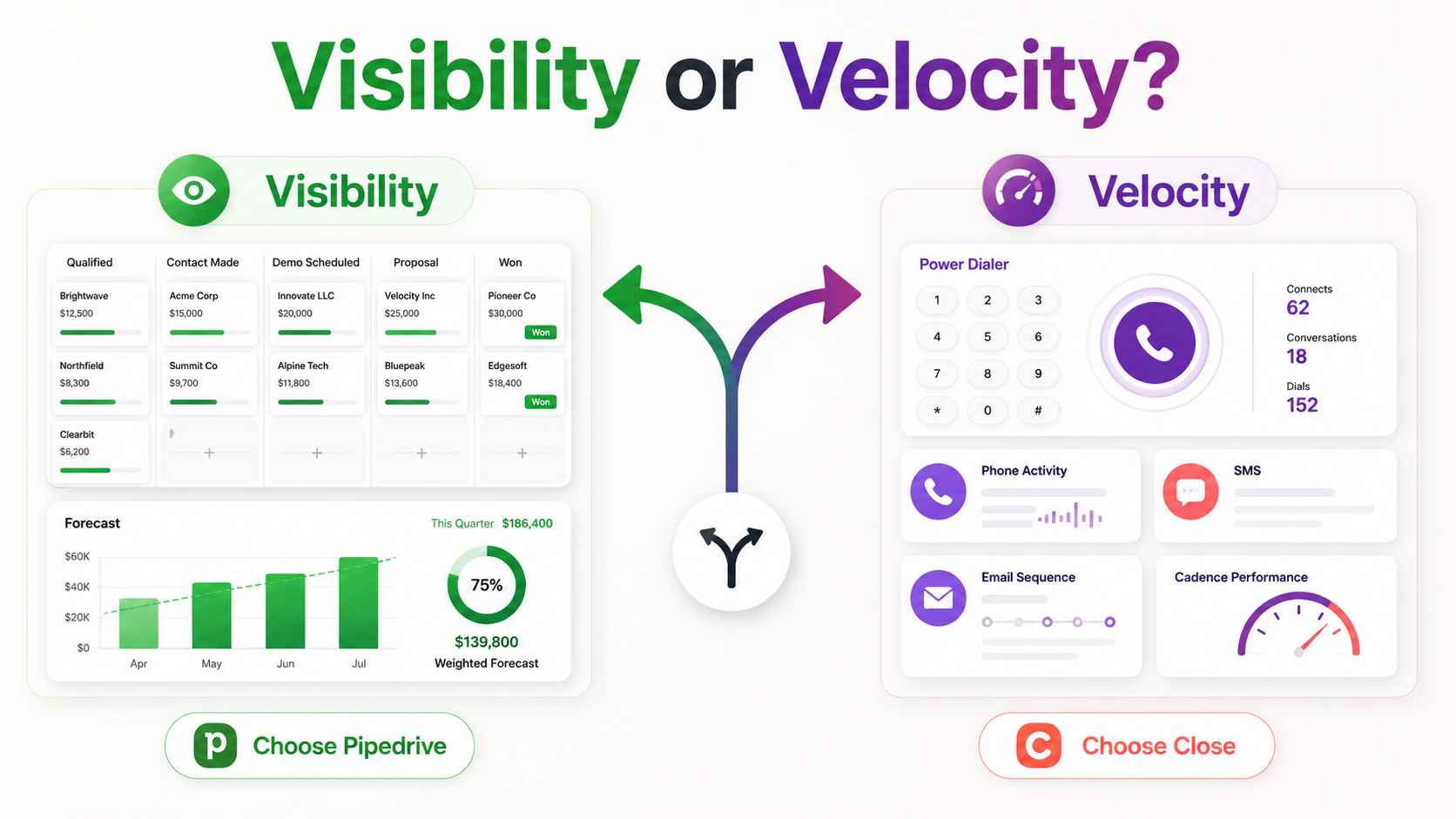
The decision reduces to one question. If your problem is visibility, buy Pipedrive. If your problem is velocity, buy Close.
Teams lose deals two different ways. Some lose them because nobody knows what stage anything is in. The forecast is a guess and follow-ups slip through gaps. That is a visibility problem, and Pipedrive was built for it.
Other teams lose deals because response time is slow. Call lists are manual, outreach lives in five tools, and reps burn hours on logging. That is a velocity problem, and Close was built for it.
Both platforms are good. Pipedrive is the most underrated CRM for transactional B2B, and Close is the strongest phone-native CRM in its class. The mistake is buying one to solve the other's problem.
Two different bets on what a CRM is
The two products made opposite architectural bets. Understand the bets and every feature difference makes sense.
Close: the communication-first bet
Close builds the outreach into the CRM itself. Calling, SMS, and email sequences ship natively. A rep loads a lead list, starts a dialing session, and every touch logs automatically. A Power Dialer calls the next prospect the moment a call ends. A Predictive Dialer on higher tiers dials multiple lines and connects reps only when someone answers.
Close also shipped an AI calling agent, Chloe, which reached general availability in mid 2026 for North American teams. It places calls, qualifies prospects by voice, and books meetings. The direction is clear. Close wants the CRM to do part of the selling.
Pipedrive: the pipeline-first bet
Pipedrive builds the cleanest visual pipeline in the category and keeps everything else modular. Deals sit as cards on a drag-and-drop board. Every deal carries a next activity, and idle deals get flagged. The AI layer is advisory: it spots stalled deals and suggests actions rather than acting alone.
Calling is not native. Teams that need a dialer connect one from the marketplace. That marketplace is the other half of the bet. Hundreds of integrations let each team assemble its own stack around a clean system of record.
The data model difference nobody explains
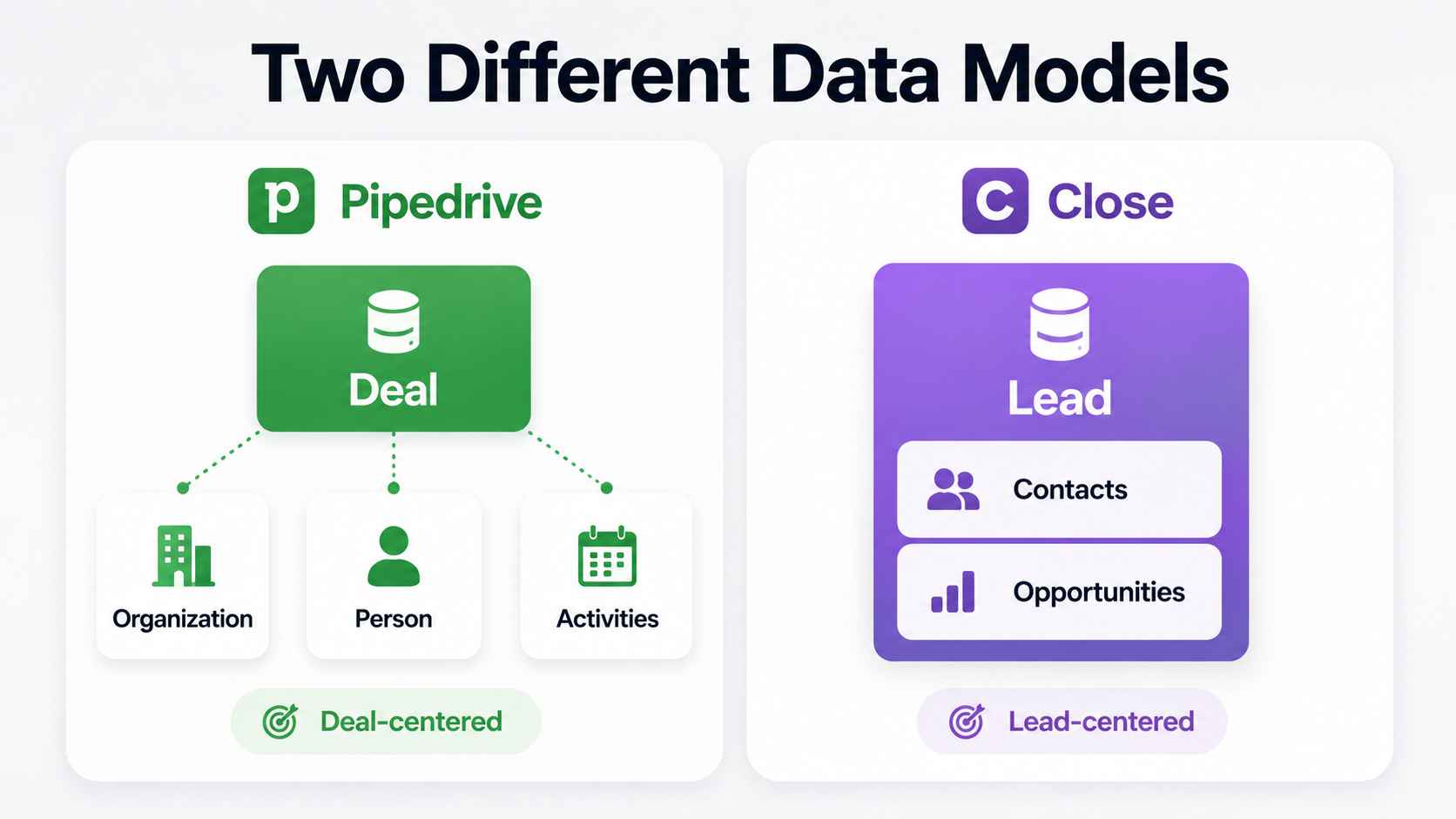
Here is the structural gap most comparisons skip. The two products organize records differently, and the difference changes daily work.
Pipedrive runs on Organizations, Persons, and Deals. The deal is the center of gravity. Reps live in the pipeline view and everything hangs off the deal card.
Close runs on Leads. A Close Lead is the container for a company. Contacts and Opportunities cannot exist without a Lead above them, and a Lead stays a Lead before and after the sale. The contact and its activity feed are the center of gravity, not the deal stage.
The practical effect: Pipedrive feels natural in pipeline reviews. Close feels natural in call blocks. Match the model to how your team spends its day.
Reporting follows the same split. Close reports center on activity: calls made, connects, response times, and outcomes per rep. Pipedrive reports center on the deal: stage conversion, velocity, and forecast by pipeline. Buy the reporting your managers will actually run meetings from.
Where Close genuinely wins
Native calling and the dialer stack
For a team making fifty or more calls per rep per day, Close wins without much argument. The dialer is native, recordings attach to the record automatically, and nobody maintains a CRM-to-dialer connection. Power dialing removes the gap between calls. Coaching features let managers listen and guide live on higher tiers.
Bolting a third-party dialer onto Pipedrive works. It also adds a subscription, a sync to monitor, and one more tab. At high call volume, that friction compounds daily.
Speed to lead and follow-up velocity
Close is engineered for response time. Inbound leads route into smart lists. Sequences fire across email, phone, and SMS from one screen. Task lists keep reps moving through touches instead of deciding what to do next.
For inbound-heavy motions where the first responder wins the deal, that speed is the product.
One screen for the whole outbound day
An SDR in Close opens one application. Calls, texts, emails, notes, and tasks all live in the record. Nothing waits on a sync. Activity data stays complete because the activity happens inside the CRM.
Complete activity data is not cosmetic. It is what makes coaching and conversion reporting honest.
Coaching is the quiet advantage here. Every call records to the lead automatically. Managers review real conversations instead of rep summaries, and higher tiers add live listening and whisper guidance. Teams that coach on calls get compounding value from that completeness.
Where Pipedrive genuinely wins
Pipeline visibility and forecasting
Pipedrive owns this category. The kanban pipeline is the best deal-stage view on the market. Stages, values, owners, and next steps sit on one board a sales manager can actually run a meeting from.
Discipline still matters. Pipeline stages without exit criteria become forecasting fiction in either tool. But Pipedrive gives the discipline a better home. Deal rotting flags, activity-based selling prompts, and clean stage reports make the forecast inspectable.
Mixed motions fit better here too. Separate pipelines for separate products or segments keep each forecast honest. Custom fields carry deal context without cluttering the board. A team selling two ways can run two clean pipelines instead of one confused list.
Ecosystem breadth
Pipedrive's marketplace covers hundreds of integrations. Calling tools, quoting tools, marketing platforms, and accounting systems connect without custom work. Teams with an existing stack keep their best tools and let Pipedrive stay the system of record.
Close integrates well for its size, but the catalog is smaller. Teams with unusual stacks close the gap through the API or Zapier.
Entry cost and tier flexibility
Pipedrive's entry tiers cost less per seat, and the tier ladder lets small teams start light. A founder tracking deals without heavy calling pays for pipeline management and nothing else.
Close bundles more into every seat, which is efficient for callers and wasted for everyone else. A team that rarely dials pays for a phone system it does not use.
The cost conversation nobody structures honestly
We will not quote figures. Both vendors adjust pricing and both renamed tiers recently. Structure is what lasts.
Both platforms bill per seat. Neither runs a marketing-contacts meter, which keeps both more predictable than HubSpot at scale. We covered that trap in our Pipedrive vs HubSpot comparison.
Close carries usage lines on top of the seat. Calling bills per minute. SMS bills per message. Phone numbers and premium add-ons stack on the base plan. A dialing-heavy team should budget meaningfully above the sticker per seat. The bundle still beats buying a separate dialer for phone-first teams.
Pipedrive carries assembly lines instead. The seat is cheaper, then the dialer subscription, the sequencing tool, and any add-ons stack beside it. For a call-heavy team, the totals converge with Close or pass it. For a pipeline-led team that never dials at volume, Pipedrive stays cheaper, full stop.
Model your actual channel mix over three years. The winner falls out of the math, not the marketing. Both platforms offer trials, so run your real call list through each for a week before signing anything.
One structural point favors both: neither platform charges a mandatory onboarding fee, and neither meters your contact database. Setup cost is a choice, not a toll. That alone separates this pair from the enterprise suites.
Switching between the two
Migrations run both directions and both are manageable. The schema translation is the real work.
Close imports from Pipedrive natively through its lead importer. Organizations become Leads. Persons become Contacts. Deals become Opportunities under the right Lead. Custom fields map manually. Sequences and automations get rebuilt, not moved.
Going the other way, Pipedrive imports Close data through spreadsheets or the API. Call recordings and SMS history are the loss to plan for. They land as notes at best. Export what compliance or coaching needs before cutover.
Either direction, the playbook matches any CRM move: prune first, map the schema, run a sample, validate by counts, and cut over on a hard date. Our Salesforce to Pipedrive migration guide walks the full method, and the same discipline applies here.
Set users up in the target system before the import runs, or every record lands under one admin. Most moves between these two complete inside days for the data and a week or two for the rebuild. The automation rebuild is the real timeline, not the transfer.
When each is the right choice
Choose Close when
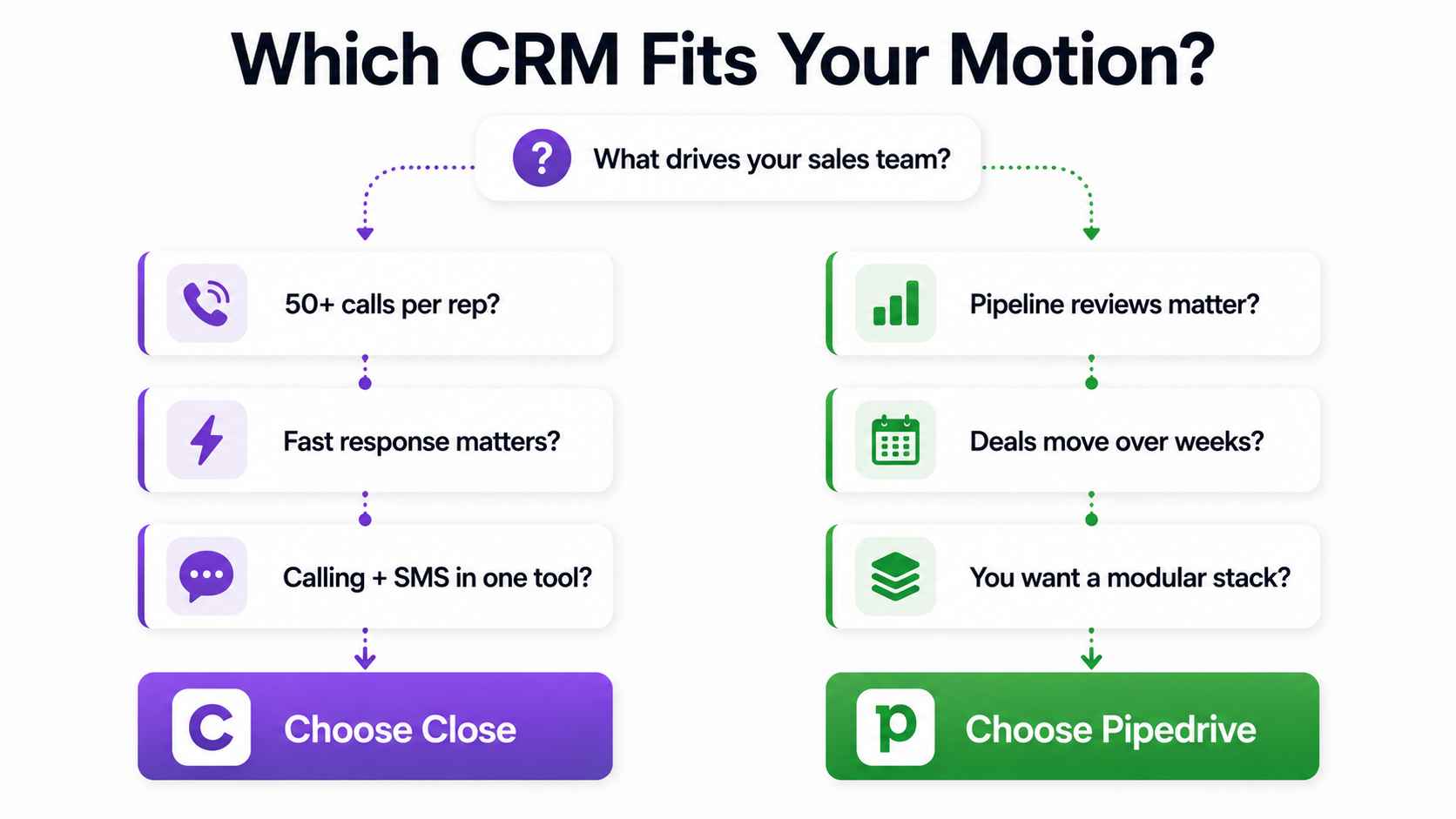
Your reps make fifty or more calls a day. Speed to lead decides your win rate. You want calling, SMS, and sequences in one tool with automatic logging. You are replacing a CRM plus a separate dialer and want one bill instead of three.
Inside sales teams, SDR-heavy motions, and agencies running structured outbound fit here. So do industries where SMS carries real weight in the follow-up cadence. Our Close platform page covers the build detail.
Choose Pipedrive when
Your motion is pipeline-led. Deals move through stages over weeks, and visibility drives management. Your calling volume is moderate and your stack already includes tools you like. You want the lowest-friction CRM for reps who resist admin work.
Founder-led sales, field-and-inside hybrids, and relationship-driven transactional teams fit here. Our Pipedrive platform page covers the build detail, and our guide on hiring Pipedrive help covers the implementation decision.
When both are wrong
Neither fits every operator. If your data model needs custom objects and relationship depth, read our Attio Expert Partner assessment. If enterprise governance and multi-cloud breadth drive the decision, our Pipedrive vs Salesforce breakdown covers that boundary. The right CRM is the one your team uses without being told to.
How ACS thinks about the choice
We start with the sales motion, not the software. Channel mix first: how many touches are calls, how many are email, how long deals sit in stages. That mix answers the Close question before any demo does.
Three numbers settle most of it. Calls per rep per day. Minutes from inbound lead to first touch. Days a deal spends in pipeline. High call counts and fast-response motions point at Close. Long stage durations and mixed channels point at Pipedrive.
Then process design. Stages get exit criteria. Lost reasons get a fixed list. Activity types match how the team actually works. Most CRMs become glorified spreadsheets within twelve months, and the decay starts when design gets skipped. This holds in Close exactly as it holds in Pipedrive.
Then the build, fixed fee, with a runbook at handoff. We implement Pipedrive, Close, HubSpot, Salesforce, and Attio, so the recommendation carries no license commission. Our sales automation work wires either platform into the rest of the stack.
The proof sits in our case studies: 500+ workflows shipped, more than 10,000 hours reclaimed, over $2 million in client savings. Credentials are on the partners page, and the side-by-side detail lives on our Pipedrive vs Close comparison page.
Frequently asked questions
Is Close or Pipedrive better for outbound sales?
Close, when outbound means high-volume calling. The native Power Dialer, automatic logging, and one-screen workflow beat any assembled stack at fifty-plus calls per day. Pipedrive suits outbound that runs through email sequencers with moderate call volume.
Is Pipedrive cheaper than Close?
At the sticker, yes. Pipedrive's entry tiers cost less per seat. For call-heavy teams the gap closes, because Pipedrive needs a separate dialer while Close bundles one and bills usage. Model your channel mix over three years and compare totals, not headlines.
Does Pipedrive have built-in calling?
No native power dialer. Pipedrive connects to third-party calling tools through its marketplace. That modular approach fits teams with moderate call volume. Teams dialing at high volume feel the friction and usually belong on Close.
Can I migrate from Pipedrive to Close, or back?
Yes, both directions. Close imports Pipedrive data natively. Pipedrive imports Close data by spreadsheet or API. Sequences and automations get rebuilt either way, and call recordings rarely survive a move out of Close. Plan the schema mapping before touching data.
What is the difference between Close Leads and Pipedrive Deals?
Close organizes everything under a Lead, which represents the company before and after the sale. Contacts and Opportunities live inside it. Pipedrive organizes around the Deal, linked to Persons and Organizations. Close centers the relationship. Pipedrive centers the stage.
Which is easier to use?
Both rate well, for different jobs. Pipedrive's visual pipeline is the gentler learning curve for deal tracking. Close is simpler for a rep running call blocks, because the whole day happens on one screen. Ease follows fit.
We are not a call-heavy team. Is Close wasted on us?
Mostly, yes. Close's price and design assume the phone carries your motion. A team that rarely dials pays for a dialer, per-minute usage, and a communication layer it barely touches. Pipeline-led teams get more value per seat from Pipedrive.
Should a $10M-$50M operator pick Close or Pipedrive?
Match the motion. Phone-dominant inside sales at that scale runs better on Close. Pipeline-led selling with mixed channels runs better on Pipedrive. Teams unsure of their motion should map it first. Buying the tool before defining the motion is how CRMs fail.
Deciding between Pipedrive and Close?
Three ways to move.
Book a paid discovery. We map your sales motion and channel mix, then recommend the platform. Refundable if neither fits. See pricing.
Read the side-by-side. Our Pipedrive vs Close comparison page breaks the decision down by scenario.
Review the proof. The case studies show shipped sales systems for operators like you.
Motion first. Platform second. Adoption always.