

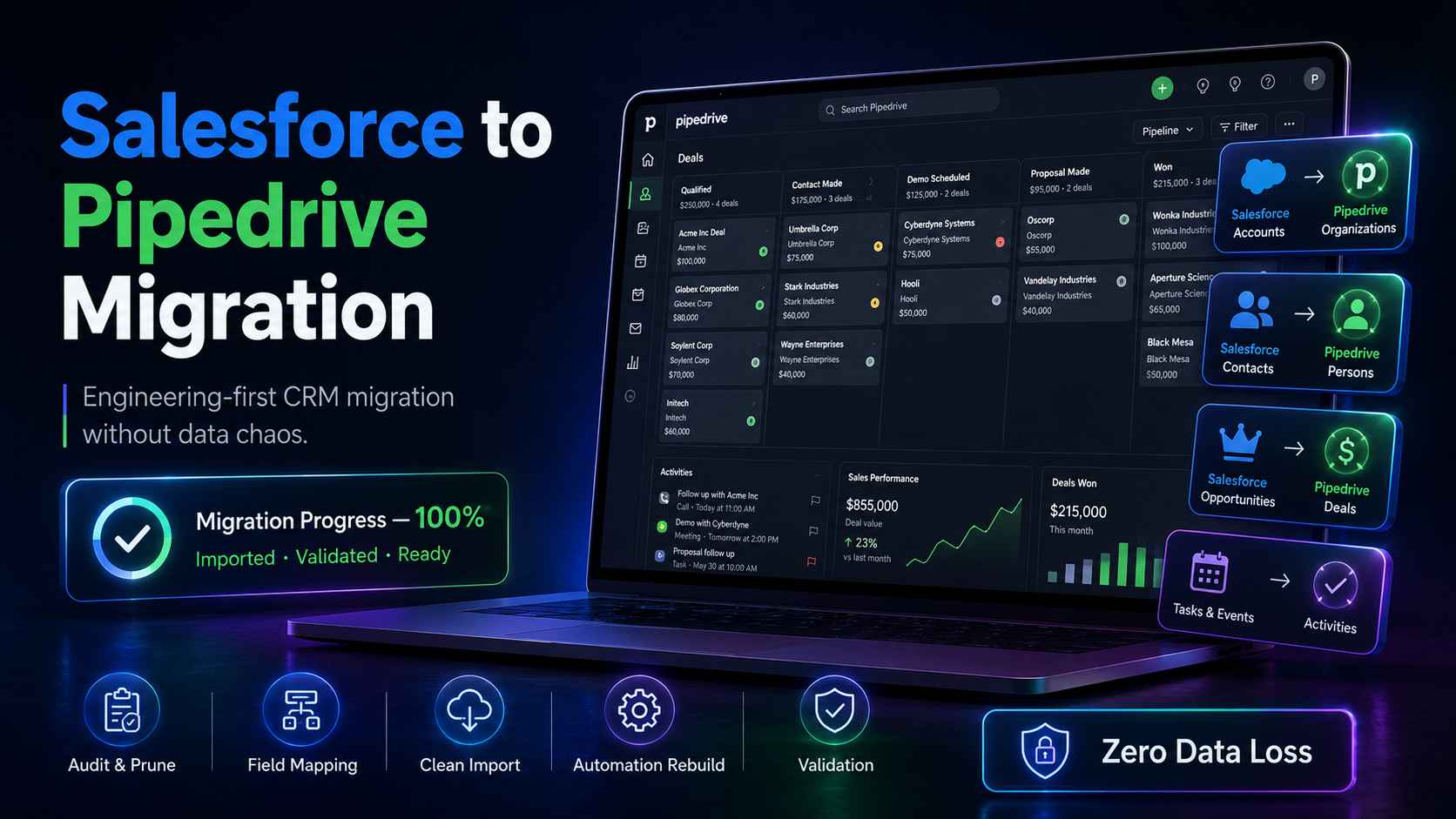
We build operations infrastructure with engineering discipline for $10M-$50M operators. Salesforce to Pipedrive migration is the most requested project in that work right now. Teams signed Salesforce, used a fraction of it, and want out.
This playbook covers what moves, what breaks, and how to run the migration without losing data. We hold no Salesforce or Pipedrive partnership. We are a Zapier Certified Solutions Partner and an Attio Expert Partner. No vendor commission shapes this guide.
The honest verdict
Migrate when your team uses a fraction of Salesforce and dreads the renewal quote. Salesforce is overkill for most $10M-$50M operators. Most enterprise CRM implementations pay for capability the operator will not use until $25M+. If reps run deals from spreadsheets because the CRM fights them, you are paying enterprise licenses for a contact list.
Stay when Salesforce earns its keep. Custom objects that model your core business. Service Cloud running support. Compliance controls a regulator actually checks. A funded admin function is part of that equation. Salesforce without an admin decays. Salesforce with one performs.
We cover the full decision in our Pipedrive vs Salesforce breakdown and on our comparison page. This post assumes the decision is made. The migration itself is not the hard part. The hard part is deciding what deserves to move.
What moves and what does not
Salesforce and Pipedrive store sales data in different shapes. Salesforce is relational. Objects connect through lookup and master-detail relationships. Pipedrive is compressed. Four core entities carry the whole model.
Migration means translating one shape into the other. That translation is the project.
The object map
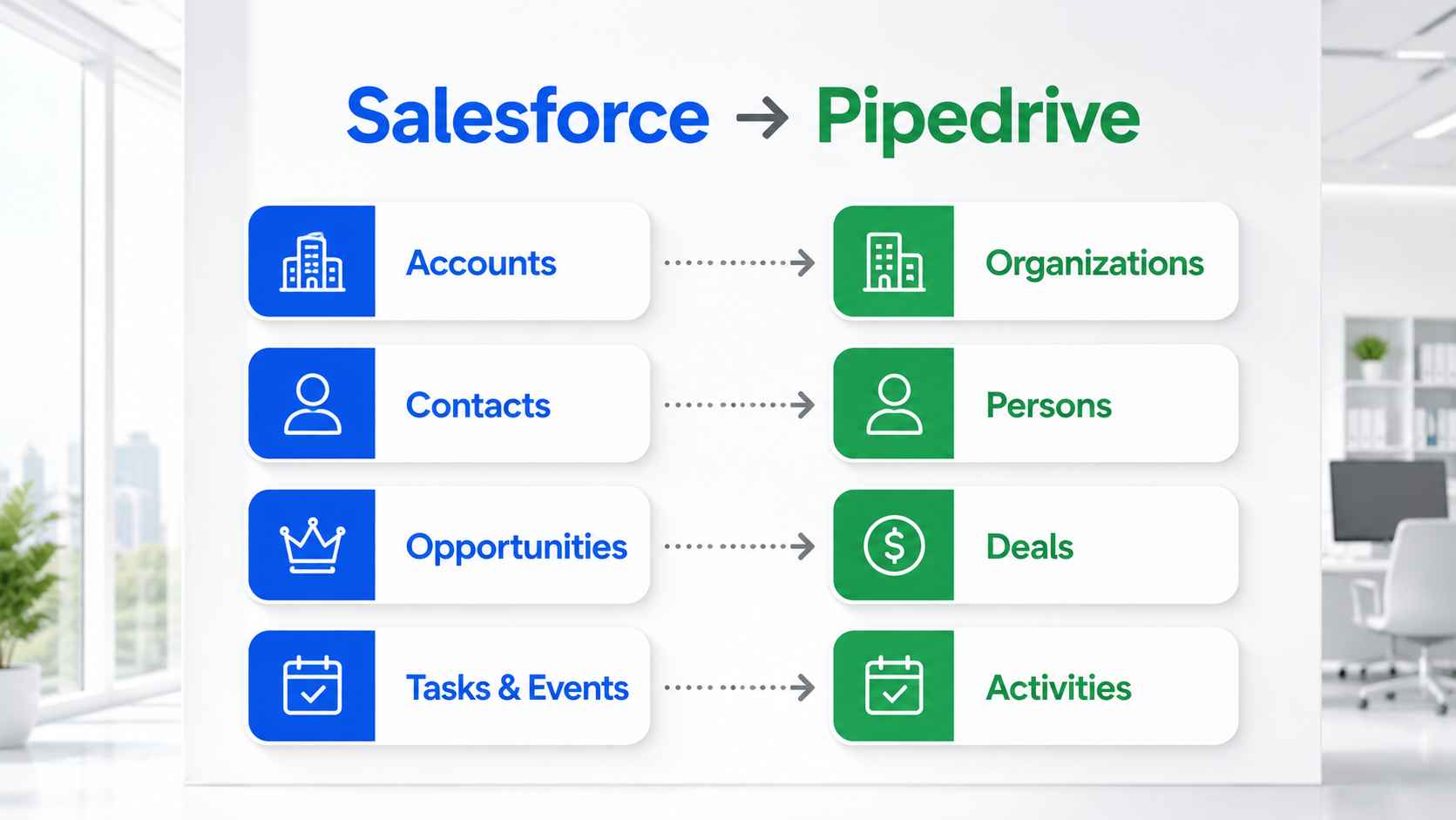
Salesforce Accounts become Pipedrive Organizations. Salesforce Contacts become Persons. Salesforce Opportunities become Deals. Salesforce Tasks and Events become Activities.
Salesforce Leads need a decision. Pipedrive has a Leads Inbox built for unqualified prospects. Open, untouched Salesforce Leads map there. Leads a rep has already worked convert to a Person plus a Deal. Every Pipedrive lead must link to a person or an organization. Route each Salesforce Lead before import, not after.
Custom fields map one to one. Create them in Pipedrive first, then map during import. Salesforce record types have no direct equivalent. Model them as separate pipelines or as a single custom field.
Preserve the Salesforce record ID on every migrated record. Create a custom field in Pipedrive and write the old ID into it. That cross-reference makes validation, audits, and rollback possible. Without it, matching records across systems turns into guesswork.
Salesforce custom objects have no Pipedrive equivalent at all. Pipedrive supports custom fields, not custom objects. If a custom object holds core business data, you flatten it into fields, park it in a connected tool, or reconsider the target platform.
This is the biggest structural gap in the whole migration. If custom objects run your business, read our Attio Expert Partner assessment before committing to Pipedrive.
What transfers cleanly
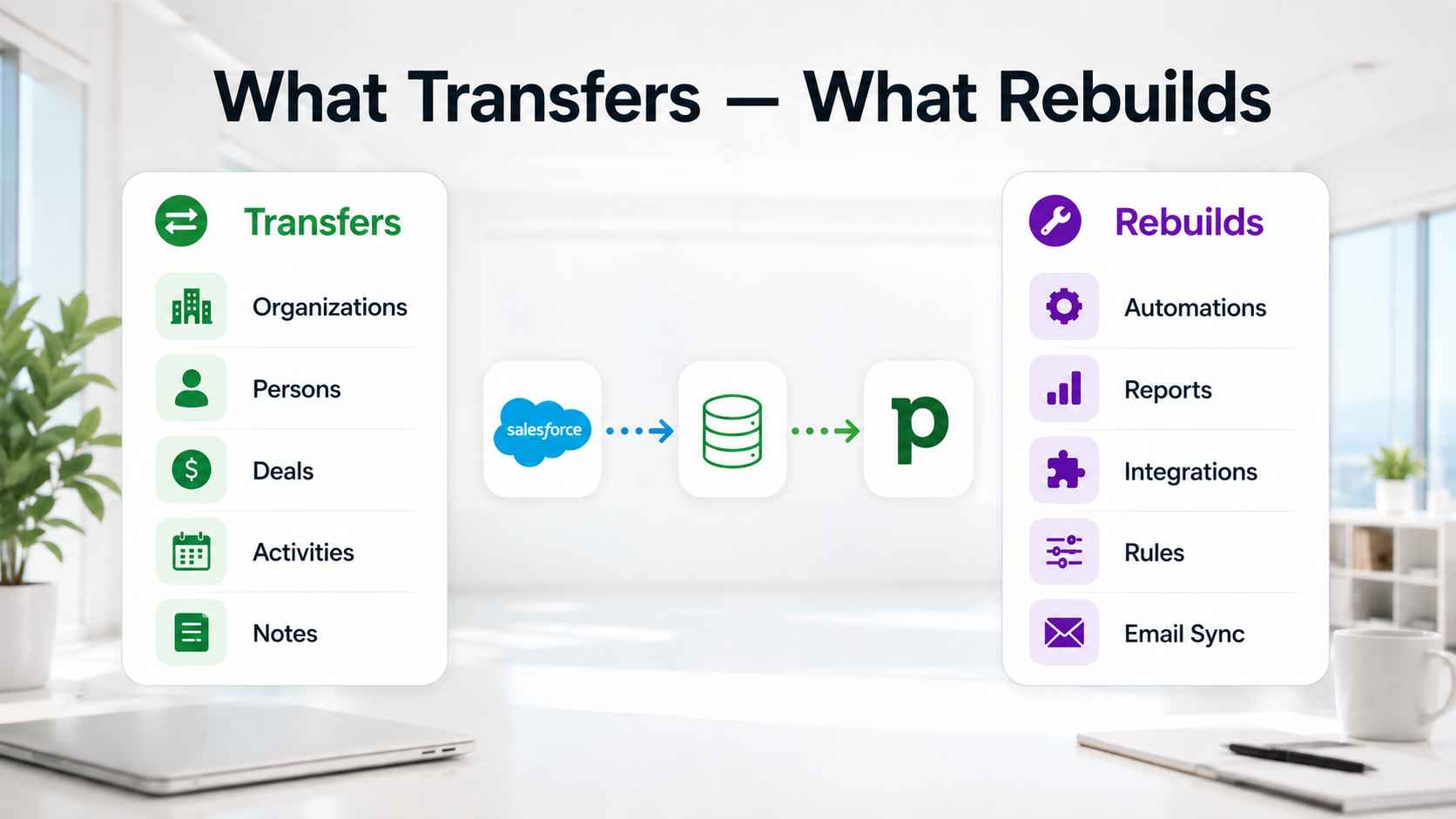
Organizations, people, deals, notes, and activities move well. Won and lost opportunities carry over with outcomes and close dates. Import them. Historical win rates make Pipedrive reporting useful from day one.
Files and attachments transfer within size limits. Record ownership transfers when users exist in Pipedrive before the import starts. That order matters. Data imported before users are created defaults to whoever ran the migration.
Products and price book entries need review. Pipedrive has a Products catalog, but pricing structures map loosely. Rebuild the catalog by hand if products drive your deals.
Deal stage history collapses on migration. Each record arrives in its current stage with no memory of the path behind it. Export stage duration reports from Salesforce before cutover if velocity reporting matters to you.
What you rebuild
Automations do not transfer. Salesforce Flows and Process Builder logic get rebuilt in Pipedrive Automations or an external layer like Zapier or Make. Document every active Flow before export. This is the most underestimated task in the project.
Reports and dashboards do not transfer. Rebuild the ones the team actually opens in Pipedrive Insights. Export the rest to spreadsheets for the archive.
Email history transfers partially at best. Threads usually land as notes on the contact, not as live conversations. Pipedrive email sync builds history forward from connection day. Export critical threads before you decommission Salesforce.
Connected apps need remapping too. Every tool wired to Salesforce, from calendars to quoting software, must point at Pipedrive after cutover. List the integrations during the audit. Rebuild them through native connectors, Zapier, or the API.
Validation rules and approval processes have no equivalent. Replace them with required fields, stage definitions, and automation checks. Pipeline stages without exit criteria become forecasting fiction, in Pipedrive as much as in Salesforce.
The seven-step migration playbook
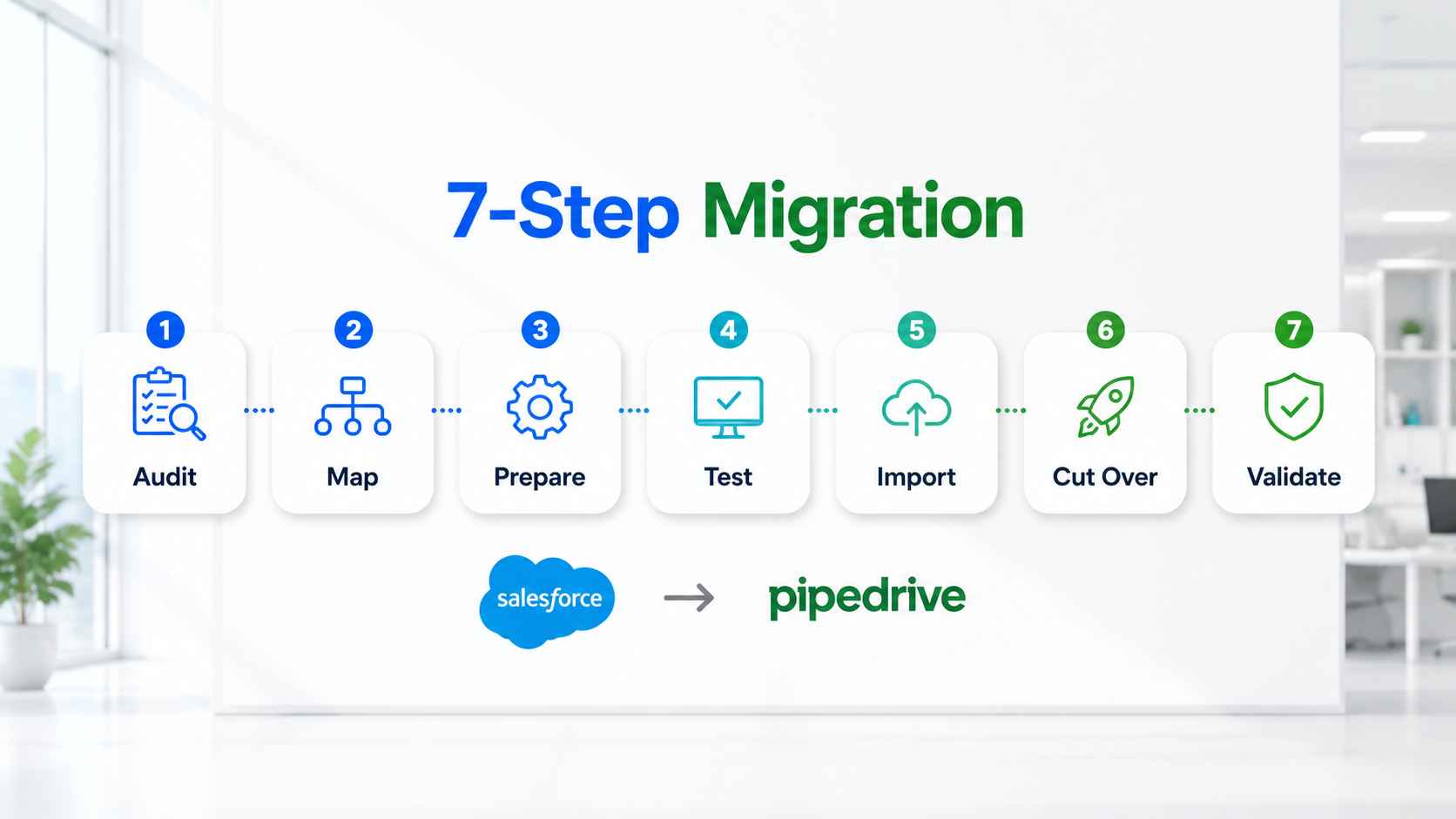
Each step exists to prevent a specific failure. Skip one and that failure shows up on schedule.
Step 1: Audit and prune
Export nothing yet. List what Salesforce holds. Count records per object. Flag duplicates, dead contacts, and fields nobody has touched in a year.
Take a full Salesforce export before you prune anything. The archive costs little and settles every future dispute about what existed. Prune in the working copy, never in the only copy.
Migrate the data you need, not the data you have. Moving dirty data relocates the problem somewhere harder to find.
Step 2: Design the target schema
Design Pipedrive before you import into it. Define pipelines and stages with exit criteria. Decide which Salesforce fields survive. Decide how record types map. Decide where each Lead goes.
Fewer stages beat more stages. Five to seven fits most B2B motions. Name each stage after what the buyer did, not what the rep did.
Write the mapping table down. The mapping table is the project.
Step 3: Prepare the Pipedrive account
Create every user first. Build the pipelines and stages you designed. Create custom fields before import so mapping lands clean.
Skipping this step is why migrations produce a database owned entirely by one admin.
Step 4: Run a sample migration
Test with a slice before committing the database. Pipedrive's native migration path runs through Import2 and supports undo and redo. Move a sample. Check field mapping, associations, and owners.
Fix the map. Rerun until the sample lands clean.
Step 5: Run the full import and validate
Freeze data entry in Salesforce. Run the full import. Then validate with counts, not impressions.
Record totals per object should match the pruned export. Spot check twenty deals end to end. Confirm persons link to organizations and deals link to both.
Step 6: Cut over on a hard date
Pick a date. Move the team. Running two CRMs in parallel kills adoption. Reps default to the tool they know, and the new system dies quietly.
Tell the team the date weeks ahead. Run training before the switch, not after it. Connect email sync on day one so new history starts building immediately.
Keep Salesforce read-only through the transition window. Then remove access.
Step 7: Run a thirty-day validation window
Broken automations and duplicates surface in the first month. Run weekly validation reports. Watch for deals with no owner, activities with no link, and duplicate persons.
Compare pipeline totals against the final Salesforce export at day seven and day thirty. Matching totals close the project. Gaps get investigated while the archive is still fresh.
Fix fast while memory of the old system is fresh.
The three migration methods
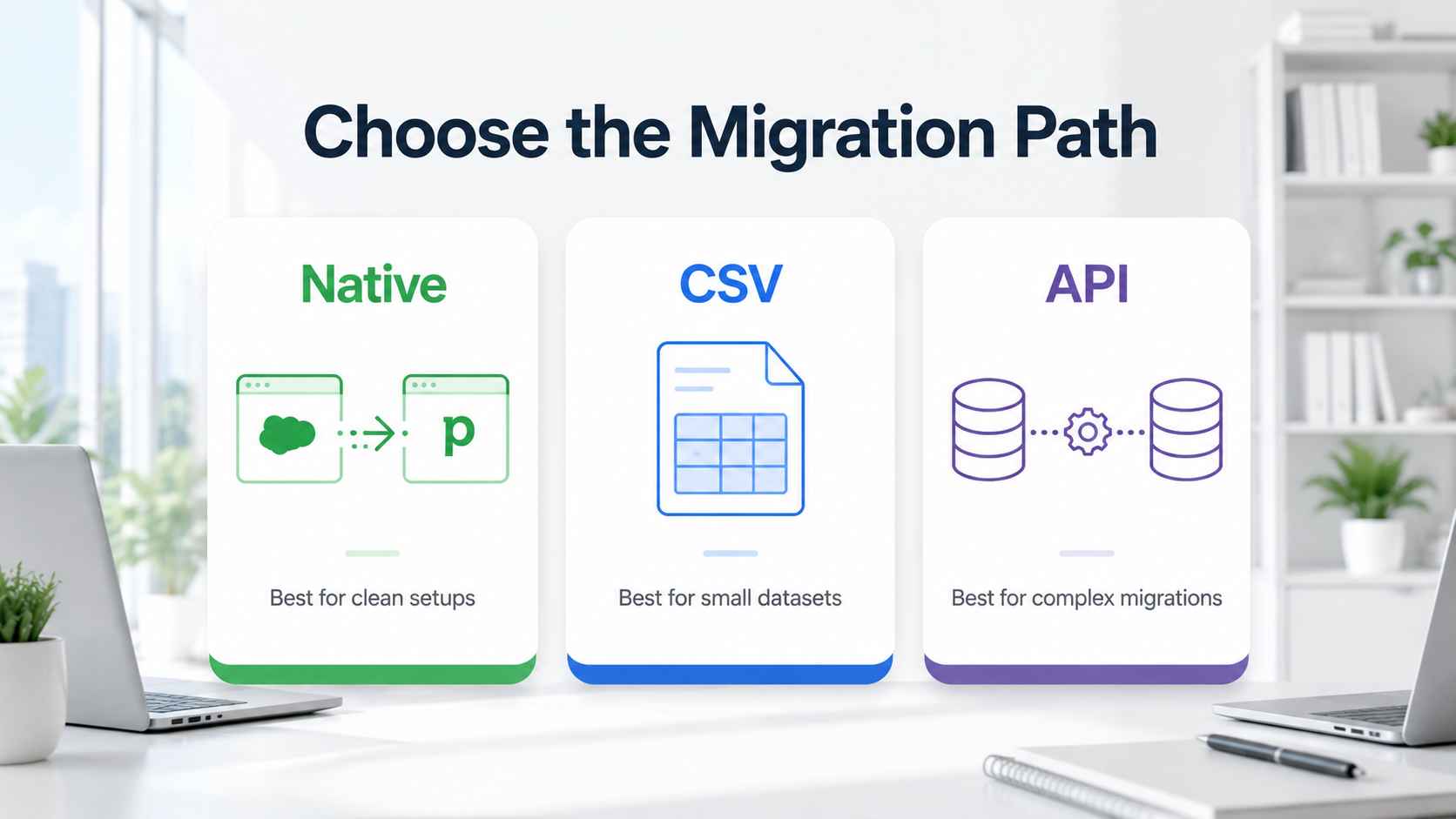
Three paths move the data. Pick by complexity, not by comfort.
The native Import2 path
Pipedrive's built-in migration runs through Import2. A global admin starts it from the import menu. It connects to Salesforce, suggests field mapping, and can auto-create pipelines and custom fields. It supports undo and redo. Volume thresholds and paid tiers apply on large databases.
Allow a day for the transfer to complete on a mid-market database. Review the completion report before anyone touches the data.
This path fits clean, standard Salesforce instances with light customization.
The CSV path
Export Salesforce reports or use Data Loader, then import spreadsheets into Pipedrive. CSVs flatten relationships. An exported deal carries the account name as text, not as a link. You rebuild associations by matching keys before import.
This path fits small, simple datasets. It fails on relational depth.
The API path
Extract through the Salesforce API, stage the data, transform it, and load through the Pipedrive API. This is the engineering path. It handles custom objects, complex mapping, deduplication, and a full audit trail.
Plan around API limits on both sides. Salesforce caps daily API calls by edition. Pipedrive rate limits by token. Large extractions run in batches, and child records load after their parents to avoid orphans.
It is the method we use when data integrity carries real money. Our integration builds run on the same discipline.
Timeline and cost expectations
A migration for a team of up to fifty users takes two to four weeks when scoped properly. Zero data loss is the standard to demand. Instances heavy with custom objects run longer. The variable is data complexity, not team size.
Cost follows method and structure, not record count alone. We run migrations as fixed-fee engagements. Hourly billing pays consultants to think slowly. A migration billed by the hour rewards the vendor for every snag. See our pricing for the current structure.
Budget for the rebuild, not just the move. Automation rebuild and report rebuild consume more hours than the data transfer itself.
Mistakes that break Salesforce to Pipedrive migrations
Migrating everything. Ten years of dead leads do not become useful by changing databases. Prune first.
Skipping user setup. Import before users exist and one admin owns every record in the company.
Trusting the CSV. Flattened exports orphan activities and break associations silently.
Leaving automations undocumented. The Flow nobody wrote down is the process that breaks in month two.
Ignoring deduplication keys. Import without matching on email and domain and every contact arrives twice.
Forgetting email sync at cutover. Pipedrive builds email history forward from connection day. Every day without sync is history lost.
Running both CRMs indefinitely. Parallel operation splits the team and starves the new system.
Skipping the runbook. Most automation projects fail at handoff, not at build. Document the new system or inherit a dependency on whoever built it.
When staying on Salesforce is the right call
Some operators should not migrate. Keep Salesforce when custom objects model your core business and flattening them destroys meaning. Keep it when Service Cloud runs your support operation.
Keep it when compliance requirements demand its audit controls. Keep it when a funded admin function keeps the instance healthy.
And sometimes neither platform fits. If your data model needs custom objects without Salesforce weight, Attio deserves evaluation. If marketing automation drives your revenue, weigh HubSpot through our Pipedrive vs HubSpot comparison. The right CRM is the one your team uses without being told to.
How ACS runs this migration
We run Salesforce to Pipedrive migrations as fixed-scope engineering projects. Discovery first. We audit the Salesforce instance and produce the mapping table. Then schema design in Pipedrive, with exit criteria on every stage. Then a sample migration, the full import, and validation by counts. Then the automation rebuild. Then cutover on a hard date.
Every migration ships with a runbook. Runbook-as-deliverable is the difference between a system and a debt. The runbook documents the mapping decisions, the rebuilt automations, and the troubleshooting steps. Your team owns the new CRM on day one.
We have shipped 500+ workflows and reclaimed more than 10,000 hours for clients. Our case studies show the pattern across seven industries. Our Pipedrive page and Salesforce page cover each platform in implementation detail. Verify our credentials on the partners page.
Frequently asked questions
How long does a Salesforce to Pipedrive migration take?
Two to four weeks for a team of up to fifty users when scoped properly. Instances with heavy custom objects and complex automation run longer. Data complexity drives the timeline, not headcount.
Does Pipedrive import Salesforce data directly?
Yes. Pipedrive's native migration runs through Import2, connects to Salesforce, and maps standard objects automatically. It fits clean instances. Complex instances need the API path with a staging layer.
What Salesforce data does not transfer to Pipedrive?
Custom objects, automations, reports, dashboards, validation rules, and approval processes. Email history transfers partially and usually lands as notes. Everything on that list gets rebuilt or archived, not moved.
Do Salesforce automations transfer to Pipedrive?
No. Flows and Process Builder logic must be rebuilt in Pipedrive Automations or an external tool like Zapier or Make. Document every active automation before you export data. The rebuild takes more time than the data transfer.
Should we migrate closed opportunities and history?
Yes, migrate won and lost opportunities with their close dates. Historical outcomes power win-rate reporting in Pipedrive from day one. Prune dead leads and stale contacts instead. History earns its space. Clutter does not.
Can we run Salesforce and Pipedrive in parallel?
Only during a short, defined transition window with Salesforce set to read-only. Open-ended parallel operation kills adoption. Reps default to the familiar tool and the new system starves. Set a hard cutover date.
Do we lose deal stage history in the migration?
Yes, in most cases. Records arrive in their current stage without the path behind them. Export stage duration and velocity reports from Salesforce before cutover. Keep them as the historical baseline while Pipedrive builds new history.
What about migrating from Pipedrive to Salesforce?
The reverse migration happens when a team outgrows Pipedrive's flat data model. Custom objects, multi-cloud needs, and enterprise governance drive it. The same playbook applies in reverse, with schema design on the Salesforce side.
Moving off Salesforce?
Three ways to start.
Book a paid discovery. We audit your Salesforce instance and produce the mapping table. Refundable if migration is the wrong call. See pricing.
Read the platform comparison. Our Pipedrive vs Salesforce page breaks the decision down by scenario.
Review the proof. Our case studies show shipped systems and reclaimed hours for real operators.
Clean data in. Working system out. Once.