

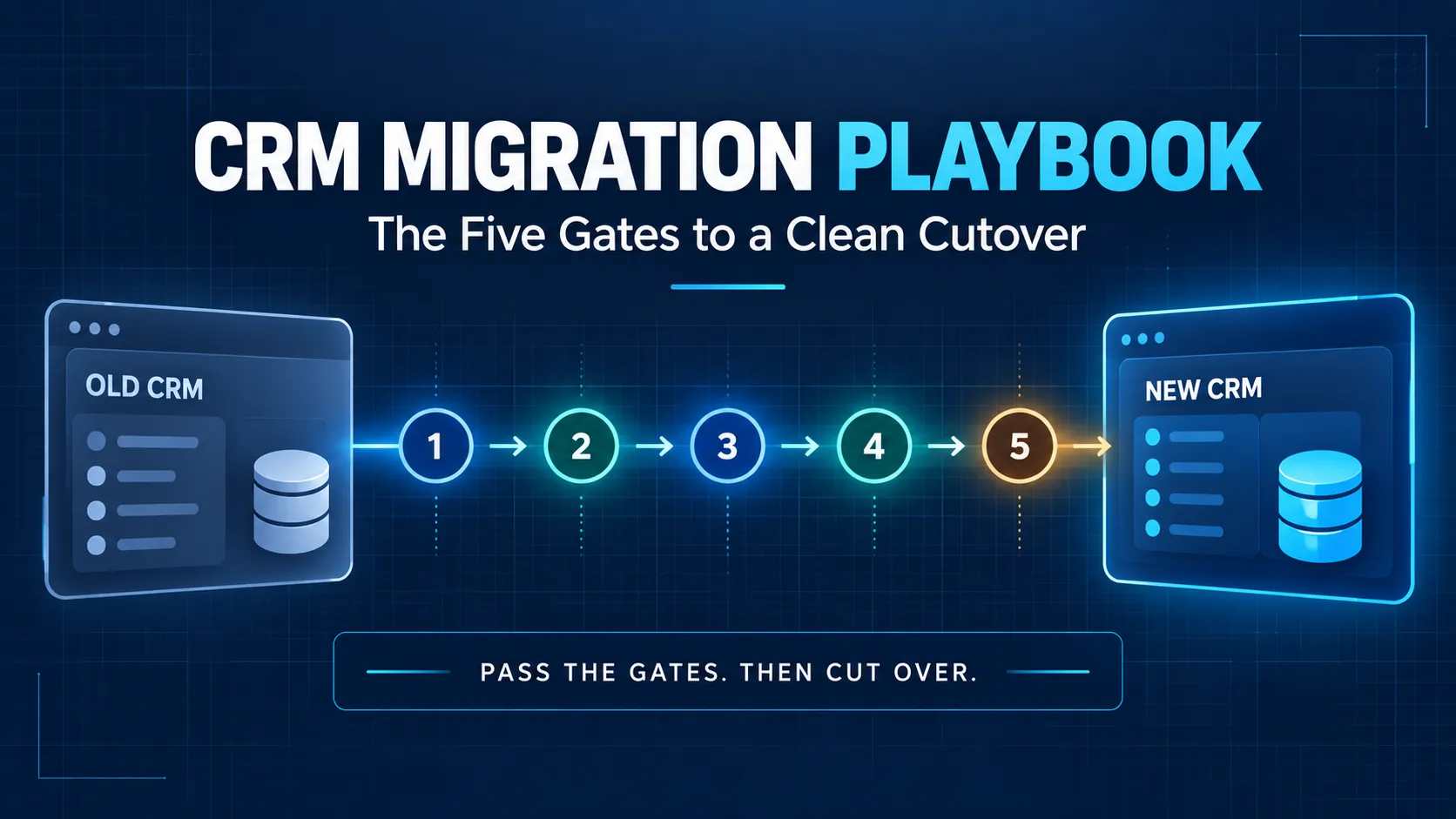
Every migration horror story shares one plot, on every platform pair. The team set a cutover date. The date arrived. The data was not ready. They cut over anyway. The calendar drove. The gates stayed failed. The mess lasted a year. Everyone blamed the platform. The platform was innocent.
We build operations infrastructure with engineering discipline for $10M-$50M operators, and we migrate between Attio, HubSpot, Pipedrive, and Salesforce in both directions. Platform-agnostic and disclosed, as always.
We profit on either end of a switch, so this playbook can afford to be honest about when not to migrate at all. Five gates follow, each with entry criteria, the work, and a pass condition. Pass them in order, and cutover day gets boring, which is the goal.
What a CRM Migration Actually Is
Not a data transfer, despite the name. A data model translation plus an adoption event, wearing a data transfer. The costume fools most buyers exactly once. The second migration is always gated.
The translation: your old system's objects, fields, and relationships mapped into a new structure that models the business differently. The adoption event: a team changing daily habits while history stays findable in the new home. The transfer is the easy third of the three. Software handles it well.
The other two parts need human judgment. Buyers who plan only the transfer meet the other two in production, per the switching-cost honesty in our alternatives guide. Migration is one bill of three. The automation rebuild rides along. So does the adoption reset. Budget all three up front, or meet them unbudgeted later.
Calendar-Driven vs Gate-Driven: Why Migrations Fail
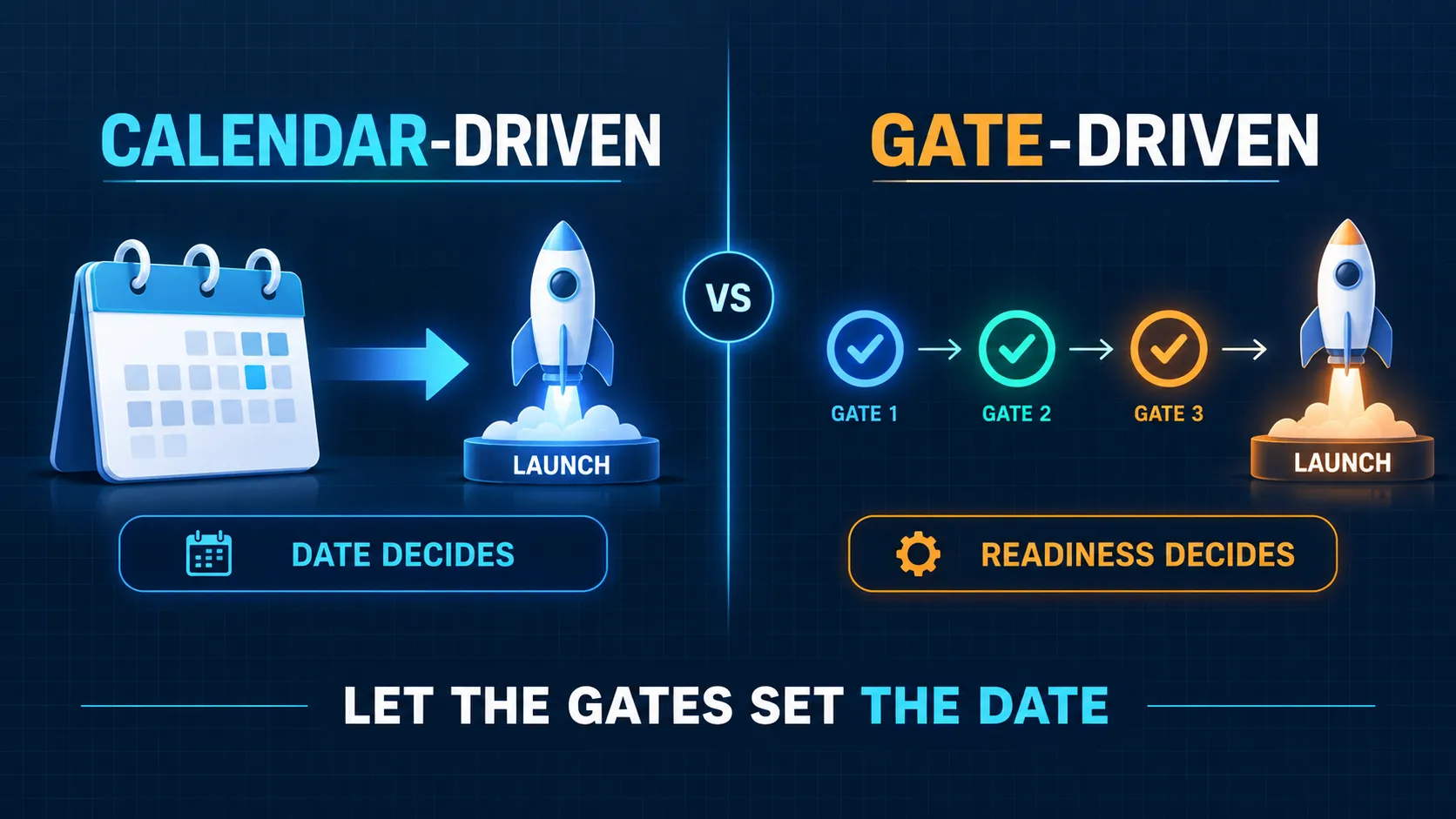
Calendar-driven migrations pick a date and force the work into it. Gate-driven migrations define pass conditions and let the date fall out of passing them. The first approach ships whatever exists on the date, ready or not. The second ships when the numbers reconcile, and only then.
You do not schedule a migration. You pass its gates. Set a target window for planning, absolutely. Then let every advance through the sequence depend on the gate, not the week. Slipping a week at gate three is cheap. Discovering gate three's failure in production costs a quarter of cleanup, minimum.
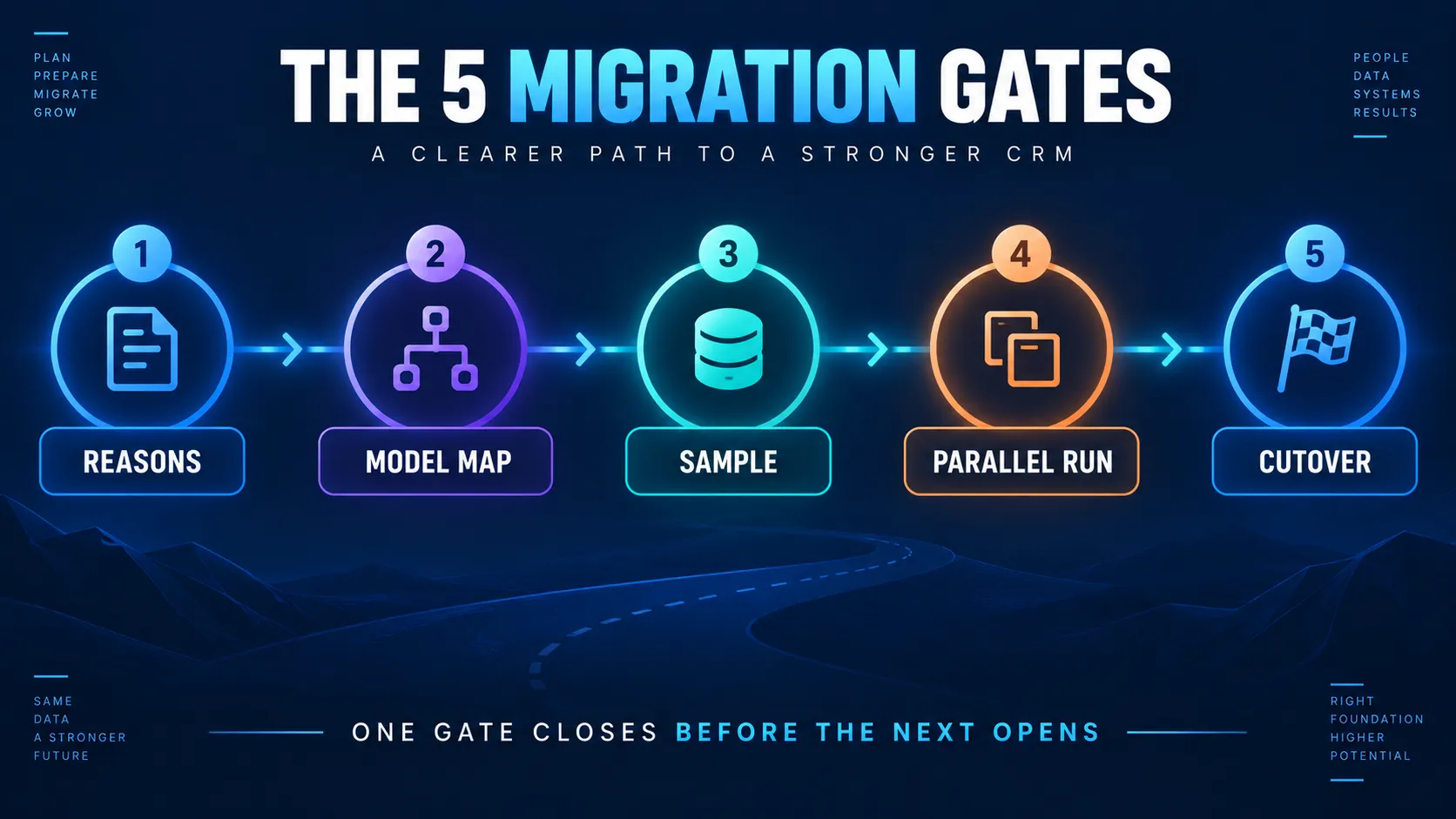
Gate 1: The Reasons Audit
Entry criteria: someone proposed switching, in a meeting or a bad week. The work: write down the reasons that sent you, with authors and evidence attached. Reasons have authors and expiry dates. Check both before proceeding.
The requirements audit from our weight-class comparison applies to every direction. Reasons that stopped being real justify leaving. Reasons still standing mean fix, not flee. Name the destination for reasons, not vibes. The platform-choice tests settle the open choice.
Pass condition: a written page stating why you are leaving, why the destination fits, and what would have to be true to stay. Most aborted migrations abort here, cheaply. That is this gate doing its job, and an abort at gate one is a win.
Gate 2: The Model Map
Entry criteria: gate one passed, with the page filed. The work: map every object, field, and relationship from old structure to new. Decide the fate of each one. Three fates exist for every field. Translate, carried over unchanged.
Transform, reshaped into the new model. Or die, on purpose. Every migration is also a funeral. Decide what dies on purpose, in writing, or your new system inherits a decade of fields nobody can explain. Inherited clutter is how clean new platforms get dirty by month three.
Owners, permissions, and pipeline definitions map here too. Records without owners land as orphans nobody works. Pass condition: a mapping document a stranger could execute, with the kill list signed by the people who will miss the dead fields. Signatures turn future complaints into past decisions, which is the cheapest conflict resolution in the business.
Gate 3: The Sample Run
Entry criteria: the map exists and a stranger could run it. The work: migrate a deliberate slice. A few hundred records, across every object type, including the ugly ones. Especially the ugly ones.
Reconcile the counts first. Spot-check records side by side next. Chase every mismatch to its root cause, not its symptom. The sample's surprises are the full run's disasters, offered early at a steep discount.
Pass condition: the sample reconciles, the mismatches have named causes and fixes, and the map is updated with what the sample taught. Skipping this gate is the single most expensive shortcut in the discipline, and the most common one.
Gate 4: The Full Run and the Parallel Period
Entry criteria: the sample passed on every object type. The work: the full migration, then a parallel period with both systems alive and compared daily. Two disciplines carry this gate. Both live in writing before the run starts.
Match Keys
Match keys are the migration's memory: the old-system identifier carried on every migrated record. They make reconciliation possible. They make de-duplication survivable. They make the rollback plan real instead of theoretical, because rollback needs to know which record came from where. A migration without match keys cannot prove itself, and unprovable migrations get relitigated in every meeting for a year.
The Freeze Window
Announce a short freeze on old-system edits during the final sync, or accept a delta run to catch the stragglers afterward. Teams forgive a communicated freeze without complaint. They do not forgive silently lost updates, ever. Communicate the window twice in advance, then once more on the day itself.
Run parallel until the numbers reconcile, then one week longer. The doctrine holds on every platform pair we have ever run. Pass condition, in three parts. Reconciliation reports match across systems. Spot checks pass in every object. The team answers real questions from the new system without switching back to check.
Gate 5: Cutover and Decommission
Entry criteria: the parallel period reconciled fully. The work, in one day where possible. Repoint every integration. Redirect every form and inbound flow. Switch the team's default system. Set the old one read-only. Keep it read-only through a defined retention window, stated in months. Then archive a full export and decommission, with the export stored where finance can find it years later.
The rollback plan is what makes cutover calm: a written path back, tested at the sample stage, that everyone hopes to ignore. A cutover without one is a bet placed with the company's pipeline, and revenue systems deserve better than bets. Pass condition: a full week of normal operations in the new system. Integrations green. No one touching the old system for daily work. Then, and only then, is the migration actually done.
Platform-Pair Notes
The gates hold everywhere, in both directions, on every pair we run. The pairs add flavor, and the flavor changes gate two most, because the destination's data model decides what translation means.
Into Pipedrive
A simplification migration. The model map is mostly a kill list, and the discipline is refusing to rebuild imported complexity, per the step-by-step pair guide. Simplicity survives only when the map defends it, deal by deal, field by field, against every "just bring it over" request.
Into HubSpot
Scope follows hub count, and the model map must name which hubs receive data on day one. The HubSpot-Pipedrive guide covers the busiest pair in both directions, and the practice keeps suite scope disciplined. Migrate into the hubs you will configure this year. Let the rest wait for the roadmap to earn them.
Into Attio
A model-first migration. Gate two grows into a design workshop, because Attio's flexible objects reward thinking before importing anything. Down-weight from enterprise platforms sheds complexity deliberately, per the funeral rule above. Up from spreadsheets, the map is short and the enrichment pipeline does the heavy lifting after arrival.
Into Salesforce
An up-weight migration, made when requirements send you to Salesforce. Gate two inherits governance design. Permissions. Territories. Approval paths. All of it designed first. The admin function should exist before cutover, because the platform assumes one from the very first login, and the Pipedrive practice hands off cleanly when clients outgrow it.
The Three Bills of Switching
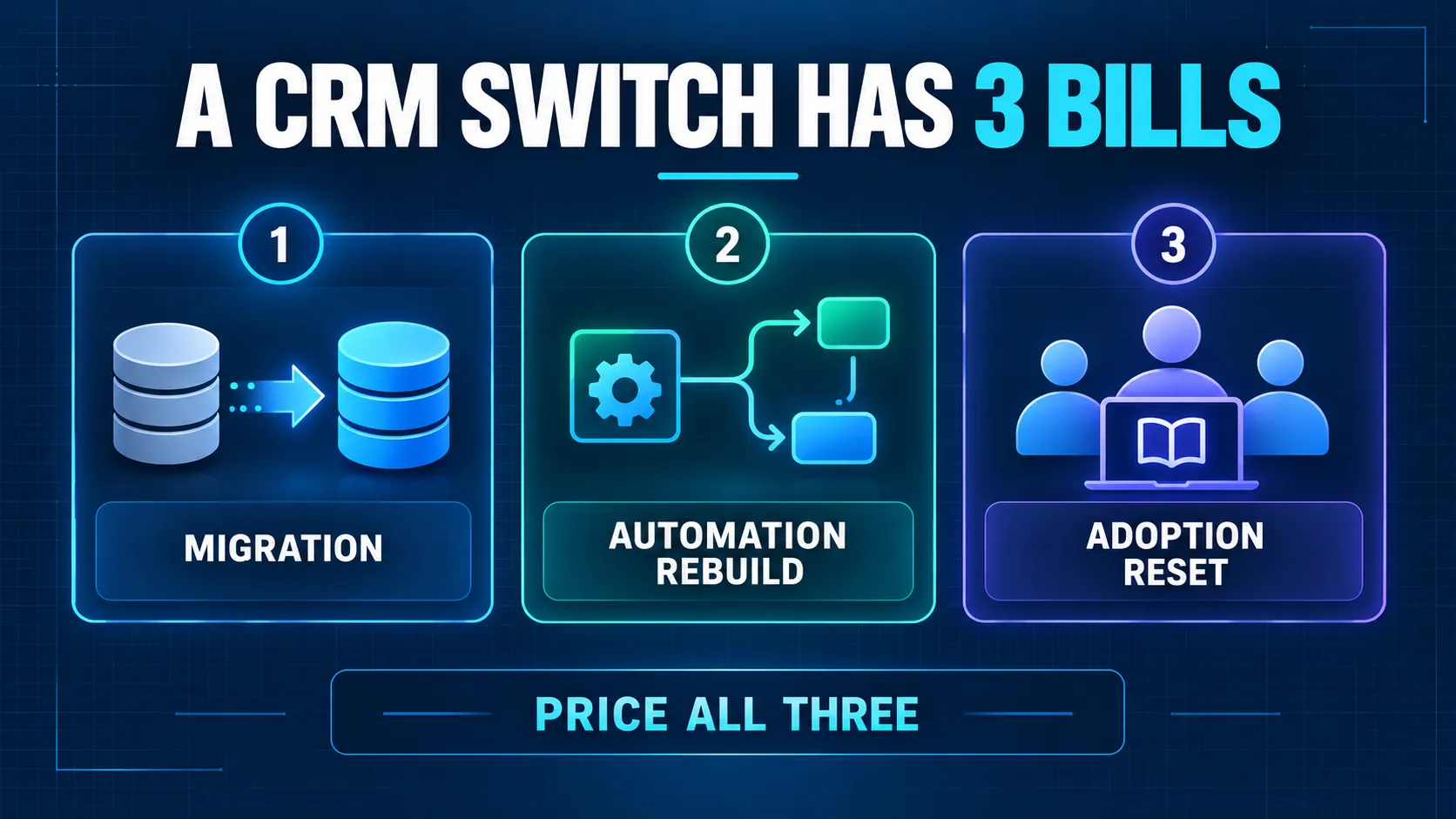
Named once more, because budgets keep forgetting two of them, and the forgotten bills arrive anyway. The migration itself, gated as above. The automation rebuild, since workflows do not travel between platforms and every integration gets repointed and retested.
The adoption reset, with training to named roles and a manager rhythm that expects a productivity dip before the payoff arrives. The implementation pillar prices all three as handoffs, and the quote missing a bill has moved it to you, with interest.
How ACS Runs CRM Migrations
The five gates as method, between all four platforms, in both directions, with the doctrine unchanged by the pair. Engagements run fixed fee after a paid and refundable discovery. Discovery executes gate one with you.
It drafts the model map's skeleton from your actual systems. It prices the remaining gates visibly, next to the other two bills. The document is yours either way, including the honest version where the answer is stay and fix, per the implementation pillar's same discipline.
Builds carry the constants: documentation your team keeps, training to named roles, accounts in your name, error-alerted integrations. Engagement structure sits on pricing. The record sits in the case studies: 500+ workflows shipped, more than 10,000 hours reclaimed, over $2 million in client savings.
Frequently Asked Questions About CRM Migration
How long does a CRM migration take?
The gates decide, honestly. Simple models with clean data pass the gates in weeks. Complex models, dirty data, or heavy integrations run months, and pretending otherwise is how gate three gets skipped. Calendar-driven answers to this question cause the failures this playbook exists to prevent. Set a window for planning purposes. Let the gates govern every advance.
How much does a CRM migration cost?
Three bills: the migration, the automation rebuild, the adoption reset. Scope each bill from the model map and the integration list. Then gather converging quotes from providers. Any single number offered before the map exists is a guess wearing confidence, and it will not survive gate three.
Can I migrate CRM data without losing anything?
You can migrate without losing anything that matters, which is the better goal. Match keys protect what you keep. So do sample runs and reconciliation reports. The kill list documents what dies on purpose, with signatures. Loss is a decision in a good migration, never a surprise, and the archive export backs even the decisions.
What data should I not migrate?
Dead fields nobody can define anymore. Contacts with no activity beyond your retention rules. Duplicate records merged instead of moved. Abandoned pipelines and their orphan stages. Archive an export of everything first, always. Then let the funeral proceed, deliberately, with signatures on the kill list.
What is a parallel run in a CRM migration?
Both systems stay alive after the full migration, compared daily. Record counts. Pipeline totals. Activity flowing into both systems. The period ends when reconciliation reports match and the team answers real questions from the new system alone. Run it until the numbers reconcile, then one week longer.
Do I need to freeze data entry during migration?
Briefly, at the final sync, or run a delta pass to catch late edits instead. The freeze is a communication problem more than a technical one. Announce it twice, keep it short, and nobody remembers it a month later. Skip the announcement, and everyone remembers it for years.
What happens to my automations when I switch CRMs?
They do not travel, on any pair. Workflows get rebuilt on the destination, integrations get repointed and retested, and the rebuild is the second bill of switching. Treat it as a design opportunity. Rebuild only the automations the business proved. Leave the dead ones behind with the dead fields, unmourned.
How do I migrate historical emails and activity?
Decide the retention rule first, because full history is rarely worth full migration. Migrate structured activity within that rule. Carry match keys on all of it. Archive the complete export for the exceptions. Native email sync on the destination rebuilds the living thread going forward, which covers most daily needs from day one and shrinks the historical question to its true size.
Can I migrate a CRM myself?
Small models with clean data and few integrations, yes, gate by gate, with the sample run non-negotiable. Heavy integrations, years of history, or compliance stakes deserve a partner, or at the least gates two through four bought from one. The mixed route works here too, with the seams named in writing.
How do I choose which CRM to migrate to?
Gate one's audit names the reasons, and the destination follows them. Use the platform tests for the open choice, and respect the weight-class logic. Requirements choose the enterprise platforms. Operators choose for fit. A destination chosen by demo enthusiasm alone fails gate one retroactively, usually around month four.
Ready to Pass the Gates?
Three ways forward.
Run gate one this week. One page covering three things: why you are leaving, why the destination fits, and what would keep you. It is the cheapest gate in the whole sequence. It is also the biggest filter in the discipline.
Read your pair's guide. The platform-pair notes above link the step-by-step routes for the busiest migrations, direction by direction.
Book a paid discovery. Gate one executed together, the model map skeleton drafted from your actual systems, every remaining gate priced visibly next to the other two bills. One fixed price, refundable if the fit is wrong. Details on pricing.
The calendar does not finish migrations. The gates do. Pass them in strict order, prove each one, and cutover day becomes the most boring day of the quarter, exactly as designed.